What makes a WordPress local search directory plugin actually useful
A local directory plugin should do more than let you add businesses and place them on a page.
If you are evaluating a WordPress local search directory plugin seriously, it should help users:
- search by location
- browse by category
- understand where results belong
- refine results more naturally
- move from archive browsing to single listing detail without confusion
That means a strong WordPress local search directory plugin usually needs to support:
- categories and locations
- searchable listing structure
- useful search forms
- maps or location context
- local archive paths
- single listing detail pages
- room for stronger local-search workflows later
If one of those layers is weak, the local-search experience usually starts feeling shallow very quickly.
Start with one simple mental model
If you only remember one thing, remember this:
- a weak local plugin shows local listings
- a strong WordPress local search directory plugin helps people actually find the right local result
That is the real difference.
A lot of plugins can display businesses with an address.
But the better WordPress local search directory plugin is usually the one that helps you connect:
- location structure
- search behavior
- browsing paths
- listing detail pages
- future local-search growth
That is why local-search quality matters more than a basic “directory” label.
The most important things to compare in a WordPress local search directory plugin
If you want to compare options intelligently, focus on these areas first.
1. Location structure

A WordPress local search directory plugin is only as strong as its location model.
That means the plugin should help you define locations clearly and use them as a real part of the browsing and search experience.
For example, you may need:
- countries
- states or provinces
- cities
- districts or neighborhoods
- local branches or regional coverage
This matters because local-search logic becomes messy when location structure is weak.
Listdom is stronger here because locations are treated as a real structural layer of the directory, not just a small extra field added to listings. In practical terms, locations are managed as a hierarchical taxonomy, so you can build parent-child location structures such as country → state → city → neighborhood, and even assign an image to a location term when that helps the design of the site.
Helpful related reading:
From the product side, this is managed from Listings → Locations, and the broader map provider and archive behavior can be reviewed in Listdom → Settings → General.
2. Search and filtering quality
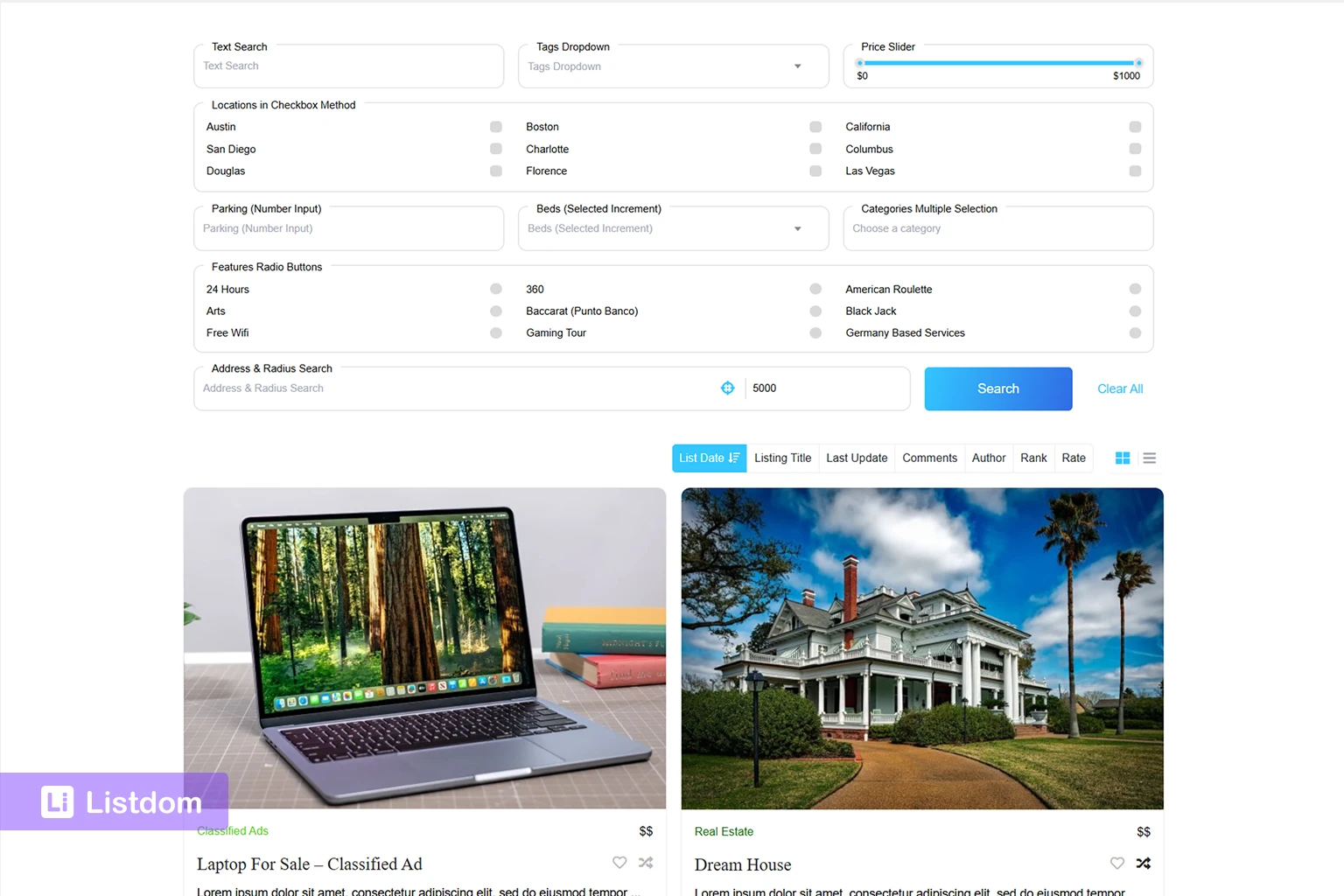
This is one of the most important comparisons in any WordPress local search directory plugin.
A local directory should not force users into random browsing when they already know part of what they need.
At a practical level, local-search quality often includes:
- keyword search
- category search
- location filtering
- address search
- radius-based nearby search
- more specific filtered pages when needed
- a search form that fits the local-search behavior of the site
This is where Listdom becomes much more interesting for local directories. In the Search and Filter Builder, the Address field can work as a plain text address input, a Radius Search field, or a Radius Search Dropdown. That means a site can support address lookup, near-me style discovery, user-adjustable radius distance, a locate control, and address autocomplete instead of relying only on broad city or category browsing.
This is where many plugins start to feel weak. They may show local listings, but they do not help users narrow the right result in a practical way.
Listdom is stronger here because search forms, shortcode pages, and archive paths can work together instead of forcing the whole site into one generic search pattern. This also matters because Listdom lets you decide whether the search redirects to a results page or filters listings on the same page, which is useful when building different local-search experiences for different parts of the site.
Helpful related reading:
- How to Create Search Forms in Listdom
- How Listdom Shortcodes, Search Forms, Archives, and Pages Work Together
3. Maps, address context, and local browsing paths
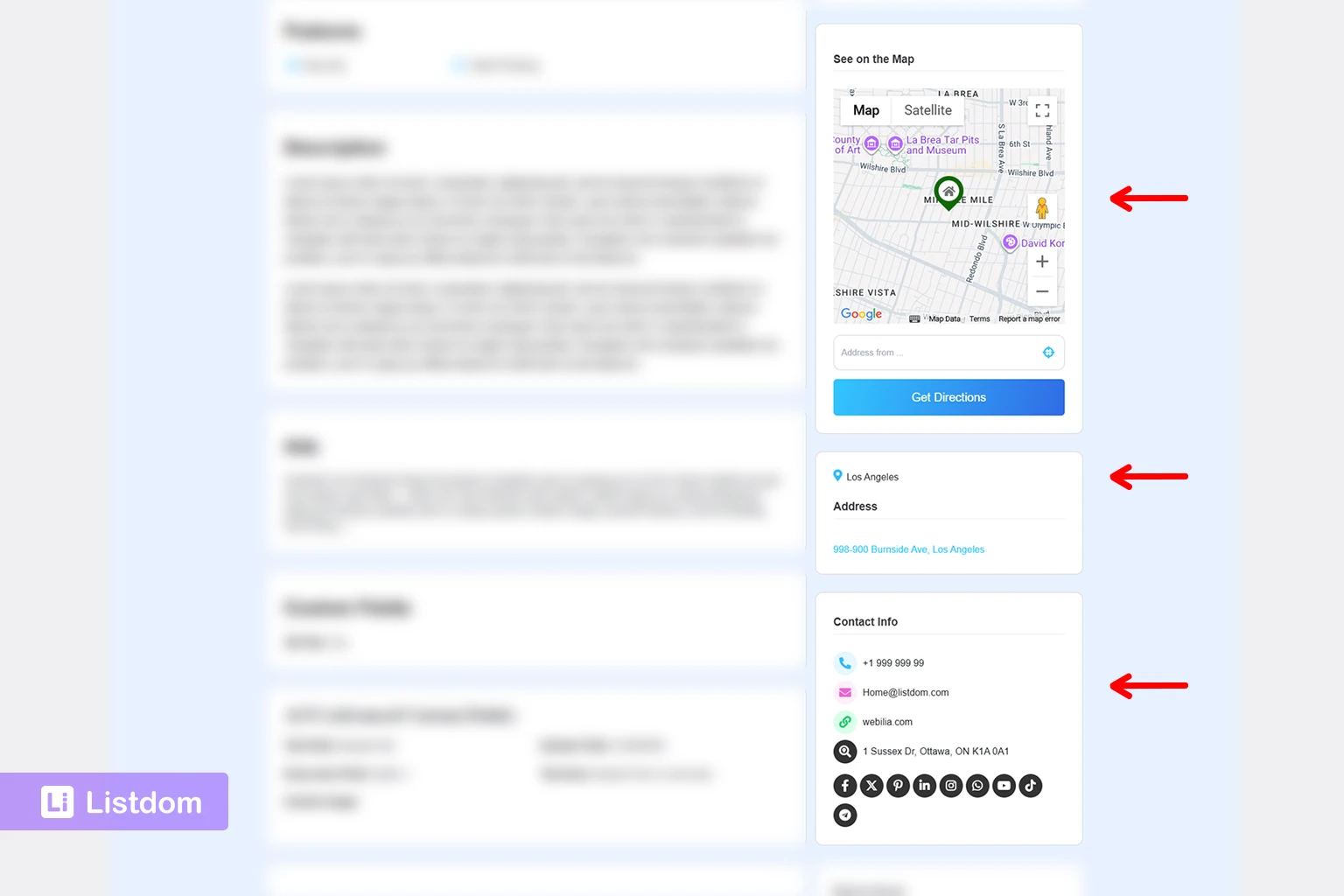
A strong WordPress local search directory plugin also needs better map and address behavior, not only search fields.
This is one of the places where Listdom and its add-ons give you more depth than many simpler plugins.
At the core level, Listdom already supports a map module and can use either OpenStreetMap or Google Maps, depending on the site setup. It also includes a Simple Map shortcode for showing one address or coordinate pair on a standalone map, and a Single Map skin for directories where the map itself is the main browsing surface.
That means you can handle several different map jobs:
- show one exact business location on its own map
- show many listings together on a map-first page
- let map views support local browsing instead of treating maps like decoration only
If you go deeper with the map-related add-ons, the local-discovery layer gets stronger again.
For example, the Advanced Map Addon can improve the map experience with:
- custom marker types such as category-icon or price-style markers
- custom infowindow styles
- map bounds restriction
- excluding selected categories from maps
- Google map styling presets
- direction links and internal direction features
- Auto GPS in supported skins
And if your local directory needs service-area or boundary overlays, the KML Addon can place KML or GPX layers on listing archive maps and single listing maps. That is useful for things like service regions, routes, trails, or neighborhood boundaries.
4. Local browsing paths
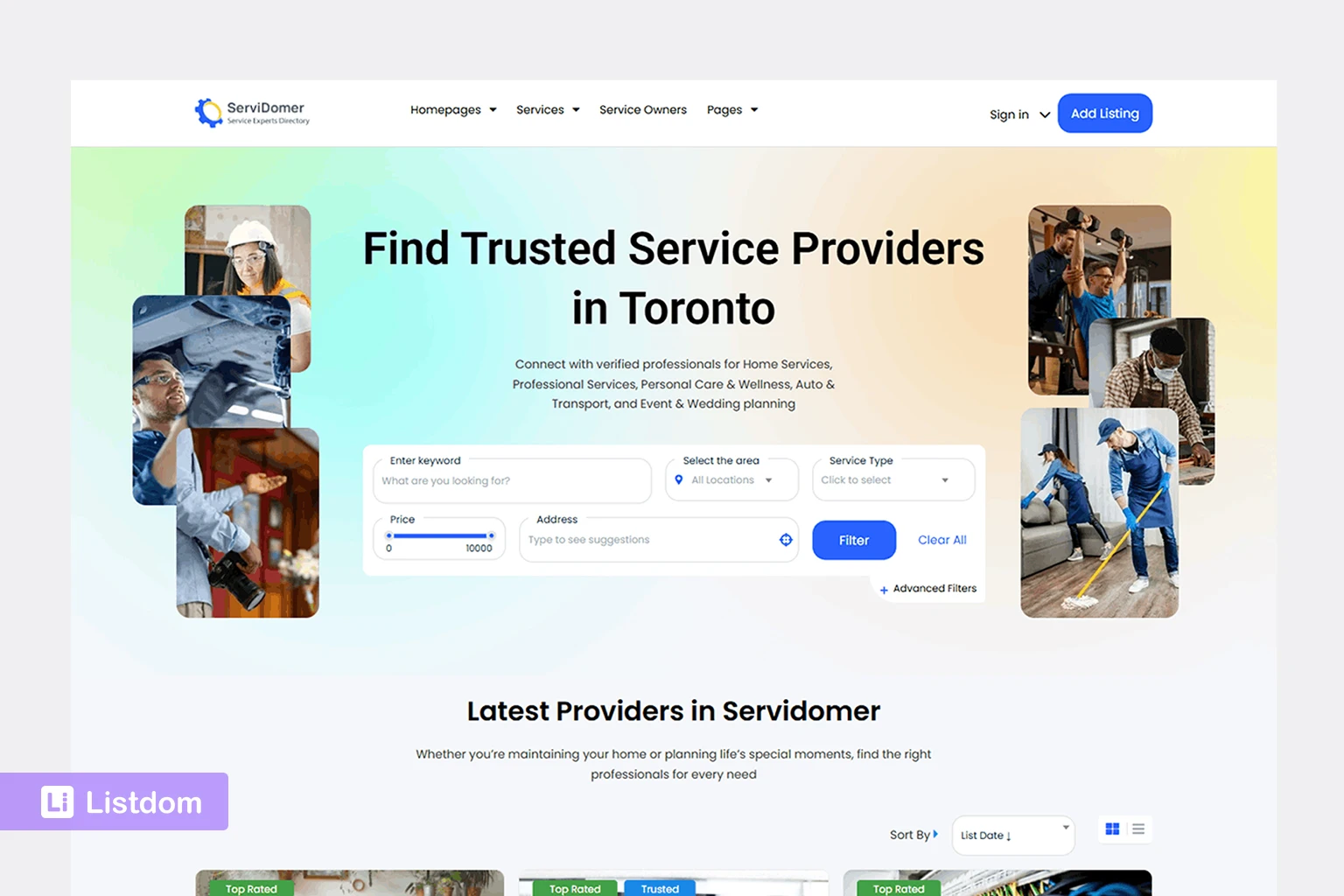
A good WordPress local search directory plugin should support more than search alone.
Users also need useful browsing paths.
For example, they may want to:
- browse restaurants in a city
- browse dentists in a district
- open a category archive first and refine later
- move from a location page into one listing detail page
That means local discovery is usually built from both:
- search
- archive browsing
Listdom works well here because category and location structure, shortcode pages, archive-style browsing, and map-first views can all be part of the same system. In supported map skins, even Auto GPS can work with Google Maps and OpenStreetMap, which makes map-based nearby discovery more practical when the site is built for local intent.
That gives you more flexibility than plugins that treat every page like the same flat local directory page.
Helpful related reading:
5. Local detail pages and user trust
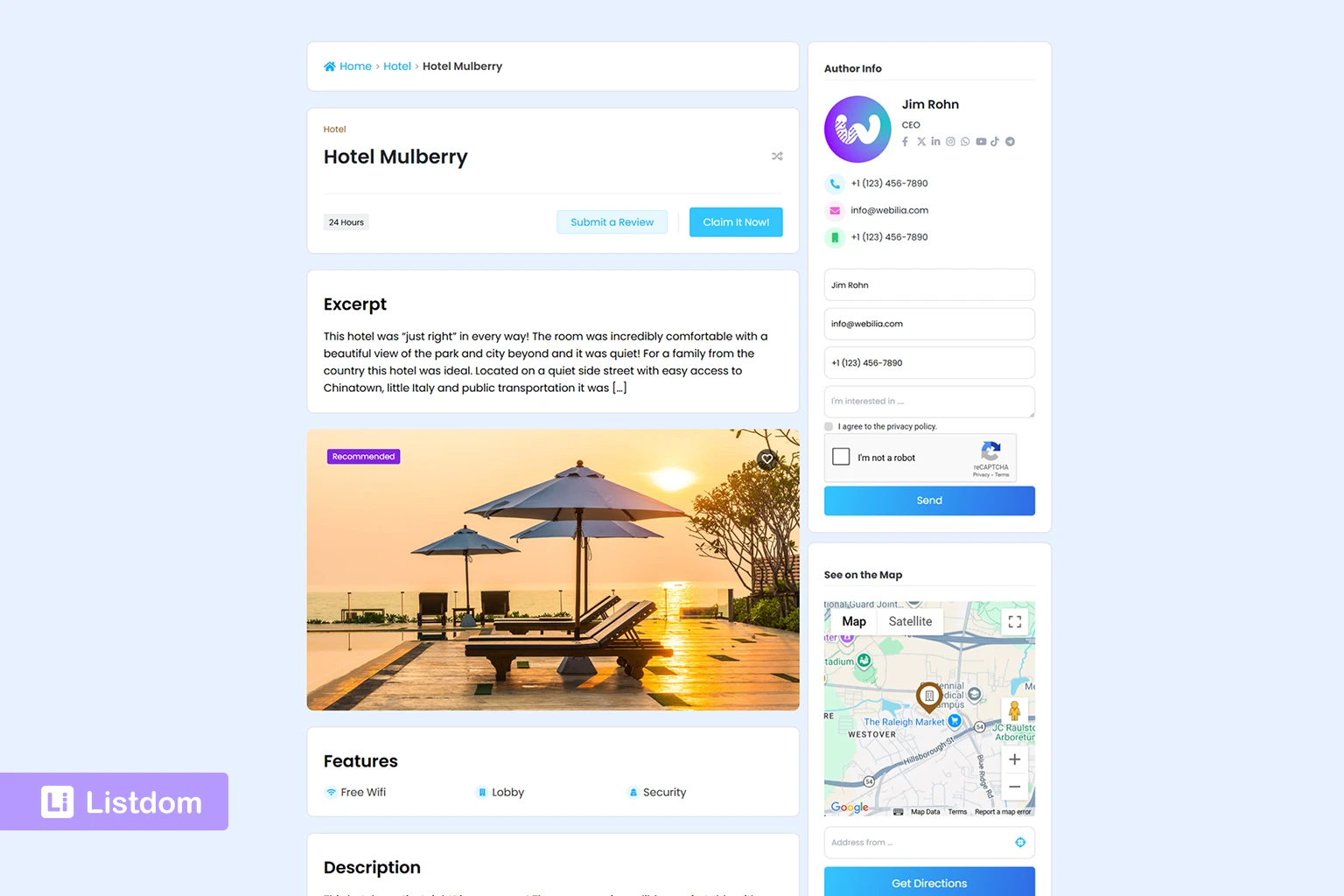
A WordPress local search directory plugin should not stop at search results.
Once a visitor finds a business, the single listing page still needs to do its job.
That usually means showing details such as:
- contact information
- address context
- categories or attributes
- useful business-specific fields
- trust signals such as labels or structured detail
- a clear map or clickable directions path when location matters
This part is stronger in Listdom because the location layer is not isolated from the detail layer. A listing can use its address, coordinates, labels, custom fields, and map output together, and with the Advanced Map Addon you can even add direction-related experiences such as clickable address links to Google Maps or a more interactive directions module when the site needs that depth.
This matters because local search is not only about finding results. It is also about helping the visitor trust and use the result after they click.
Listdom is stronger here because the single listing layer is treated as an important part of the directory system, not just a generic post view.
Helpful related reading:
6. Room to grow into more advanced local search
This is the point many buyers overlook.
A WordPress local search directory plugin may look good at the beginning, but become restrictive once the directory grows.
That often happens when you later need:
- better location logic
- more refined filtered pages
- stronger custom fields
- a clearer archive strategy
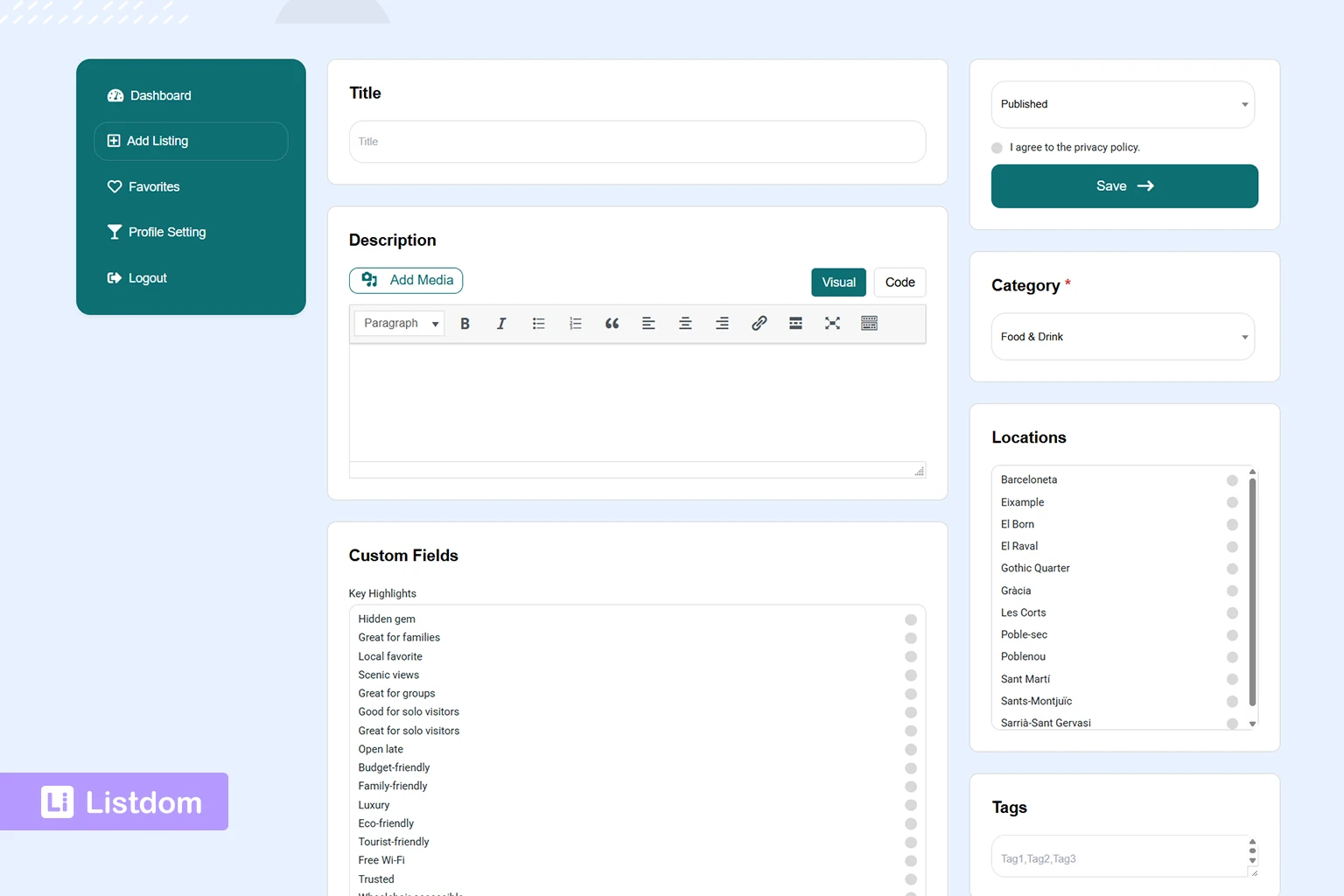
- frontend submission
- memberships or paid local listings
- map-driven discovery improvements
- better search logic for how multiple filters should match together
This is another place where the addon ecosystem matters. For example, the Advanced Portal Search Addon gives you finer control over search logic such as AND/OR matching for taxonomy filters, URL parameter visibility, and AJAX search behavior for skin shortcodes. For local directories, that can make the difference between a search experience that merely works and one that feels intentional.
That is why the best WordPress local search directory plugin is usually not the one that only solves today’s layout. It is the one that gives you room to improve the local-search experience later.
Listdom is stronger here because it gives you a cleaner path from local directory basics into a fuller directory system.
Where many local directory plugins start to feel weak
A lot of plugins can technically support local listings.
But they often start to feel limited when you need several of these together:
- a strong location structure
- useful search forms
- better archive paths
- more intentional filtered pages
- business-specific custom fields
- cleaner frontend display
- long-term monetization or submission workflows
That is usually the point where users stop looking for a simple local business plugin and start needing a real local directory framework.
That is where Listdom becomes a stronger choice.
Why Listdom is a stronger choice for local search directories
Listdom is not only useful because it can display local listings.
It is stronger because the local-search pieces connect to each other more naturally.
That means you can build a local directory in a more practical order:
- define categories and locations
- choose the map provider and review map behavior in Listdom → Settings → General
- create search forms in Listdom → Search and Filter Builder
- add address, radius, locate-control, and autocomplete behavior where local search needs it
- use archive browsing where it makes sense
- use shortcode pages when a more custom filtered page is better
- use map-first views when the local-search experience should be more visual
- let single listing pages handle the business detail layer
That connected workflow is one of the main reasons Listdom feels stronger for local discovery than plugins that only attach a location field to a listing.
That is much stronger than a plugin that only gives you a basic location field and a generic listings page.
A practical way to say it is this:
- some plugins help you publish local businesses
- Listdom helps you build a local-search directory system
When Listdom is the right fit
Listdom is a strong fit when you want to build:
- a city directory
- a regional business directory
- a service directory with geographic browsing
- a local discovery website
- a niche directory with category plus location logic
- a directory that may later need stronger monetization or frontend workflows
It is especially useful when your project needs more than one of these at the same time:
- categories and locations
- search forms
- custom filtered pages
- archive browsing
- better single listing detail
- room for future maps and local-search improvements
Ready-made demos for local and map-based directories
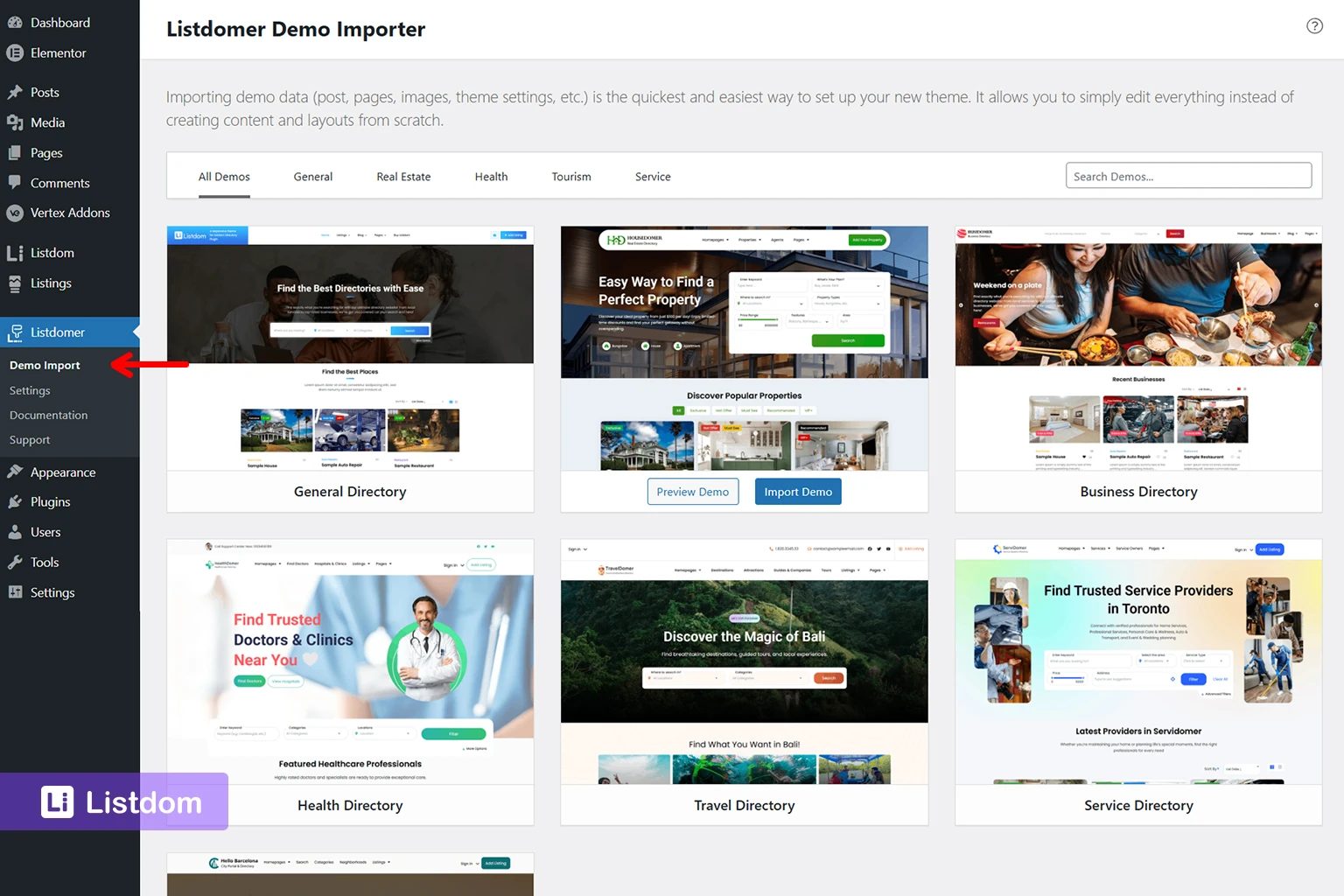
Ready-made demos are one of the fastest ways to evaluate whether a WordPress local search directory plugin can support the kind of site you want to build.
Listdom includes demos that help you see how local search, categories, locations, maps, and listing pages can work together in a more realistic setup.
These demos are not only design samples.
They are practical reference points for:
- local directory structure
- map-based browsing
- category and location relationships
- search-form behavior
- single listing layout ideas
- understanding how a local directory can feel once it has real content
That matters because many users understand local-search features much faster when they can import a working example instead of imagining everything from settings screens alone.
If you want to review the demos themselves first, see How to Import and Understand Listdom Demos.
How to import the demos
For this part, the distinction matters.
The ready-made demos are imported with the Listdomer theme, not with Listdom alone.
So if you want the full ready-made local or city-style demo experience, you should think of it as a Listdomer demo import workflow, not as a core Listdom plugin import feature.
That is important because the demos are useful for evaluating how Listdom and the Listdomer theme can work together for local-search and map-based directory setups.
A good practical way to say it is this:
- Listdom provides the directory system, search logic, taxonomies, listing behavior, and add-on depth
- Listdomer provides the ready-made demo site structure and starter design layer used for importing those demos
This is useful when you want to:
- study how a local-search directory is structured
- reuse a starting layout instead of beginning from a blank site
- test map, location, and listing behavior with realistic sample content
- understand the relationship between search pages, archive pages, and single listing pages more quickly
A good practical warning is that a demo import is still a starting point, not a final site. After import, you still need to review:
- categories and locations
- search forms
- map provider settings
- single listing behavior
- any add-ons or advanced map features you plan to use
So the demos are best treated as a faster launch path and a learning tool, not as a replacement for planning your own local-search structure.
If you want to understand the demo side more clearly, see How to Import and Understand Listdom Demos.
Why demos matter for local-search evaluation
For a WordPress local search directory plugin, demos are more useful than they may first appear.
That is because local-search quality depends on several layers working together:
- location structure
- categories
- search forms
- map behavior
- archive browsing
- single listing detail
A ready-made local or city-style demo helps you see those layers working together in one system.
That makes the evaluation process much easier than looking at isolated features one by one.
If your main goal is to understand whether Listdom can support a local-search or map-based directory, importing a relevant demo is often one of the fastest ways to test that before you commit to a full build.
When a simpler plugin may still be enough
To keep this comparison honest, not every local site needs the same depth.
A simpler plugin may still be enough when:
- the site is very small
- the directory is mostly static
- only admins manage listings
- local search is very basic
- advanced filtering is not important
- growth beyond the simplest use case is unlikely
But if the site is meant to become a stronger local discovery tool, those limits often appear earlier than expected.
A practical checklist before choosing a local-search plugin
If you are choosing a WordPress local search directory plugin, ask these questions first:
- Can this plugin structure locations clearly enough for my real geography?
- Can users search and filter in a way that matches local intent?
- Can archive browsing and local-search pages work together naturally?
- Do the single listing pages show enough local business detail?
- Can the site grow later without changing the whole plugin stack?
- Does the plugin help with real local discovery, not only listing display?
If several of those answers are weak, the plugin may not be the right long-term fit.
What to explore next if you are evaluating Listdom for local search
If you want to evaluate Listdom more seriously for local-search use cases, these are the best next articles:
- How Listings, Categories, and Locations Work in Listdom
- How to Create Search Forms in Listdom
- How Listdom Shortcodes, Search Forms, Archives, and Pages Work Together
- How Taxonomy Archive Pages Work in Listdom
- How Single Listing Pages Work in Listdom
These give a much clearer picture of whether Listdom fits the kind of WordPress local search directory plugin you actually need.
Final thoughts
The best WordPress local search directory plugin is not only the one that can store local listings.
It is the one that helps visitors discover the right local result more naturally.
That means the real comparison should focus on:
- location structure
- search quality
- archive and shortcode flexibility
- listing detail quality
- long-term local-search growth
Listdom is a stronger choice when you want a WordPress local search directory plugin that works as a connected local-discovery system rather than a thin listings layer with location attached.
That is the real reason it deserves to be considered one of the strongest options in this space.
FAQ
What should a WordPress local search directory plugin include?
It should support strong location structure, practical search and filtering, useful browsing paths, and enough listing detail to help visitors trust the results they find.
Is location filtering enough for a local directory plugin?
Usually no. A stronger WordPress local search directory plugin should also support category logic, archive browsing, better detail pages, and room for more advanced local discovery later.
Why is Listdom a stronger choice for local search directories?
Because it connects location structure, search forms, archive browsing, shortcode pages, and single listing pages more naturally than many simpler plugins.
Do I always need advanced local-search features from the beginning?
Not always. But if you expect the site to grow into a stronger local discovery platform, it is better to choose a plugin that already supports that direction.
Are archive pages and search forms both important in a local directory?
Yes. Archive browsing and search forms solve different parts of the local-discovery journey, and many stronger directory sites use both.
When does a local directory plugin become too limited?
Usually, when you need a stronger location structure, more intentional filtered pages, better custom fields, or a more complete local-search experience than the plugin can support.