What is a hotel directory website?
A hotel directory website helps visitors discover and compare accommodation options.
Depending on the project, a hotel directory may include:
- hotels
- resorts
- hostels
- guest houses
- boutique hotels
- serviced apartments
- villas
- vacation rentals
- bed and breakfasts
- business hotels
- budget stays
- luxury accommodations
Some hotel directories focus on one city. Others focus on a country, travel region, niche, or property type.
For example, a city hotel guide might help visitors find hotels near neighborhoods, landmarks, airports, stations, or conference centers. A luxury accommodation directory might focus on high-end hotels and resorts. A budget travel directory might focus on hostels, guest houses, and affordable stays.
A hotel directory is different from a full booking platform.
A booking platform usually handles room availability, reservations, payments, cancellations, and booking management directly. A hotel directory can be simpler. It can organize hotel listings, show useful information, display maps, provide search and filters, and send visitors to a hotel website or booking page.
That difference matters. You can build a strong hotel discovery website without trying to recreate a full online travel agency.
Why hotel directories need a structured system

Hotel discovery is comparison-heavy.
A visitor rarely chooses a hotel based only on the name. They compare several details before deciding.
A useful hotel directory may need:
- hotel listings
- property types
- locations and neighborhoods
- addresses and map markers
- amenities
- price range
- star rating or quality level
- photos
- reviews or ratings
- contact information
- booking or website links
- search forms and filters
- frontend submission for hotel owners
- moderation and listing quality control
- monetization options
These pieces need to work together.
A hotel listing should store structured information. A search form should help users filter that information. A map should help users understand where the hotel is. A single hotel page should give enough detail to help users decide.
Listdom can help you build these layers inside WordPress. Instead of only creating hotel cards, you can create a directory system with listings, categories, locations, custom fields, search forms, map layouts, frontend workflows, and monetization options.
What to plan before building
Before adding hotel listings, plan the directory model.
Will the directory include only hotels?
Some websites focus only on hotels. Others include multiple accommodation types.
Your directory may include:
- hotels
- resorts
- hostels
- apartments
- guest houses
- villas
- bed and breakfasts
- vacation rentals
If you include different accommodation types, you need a clear category structure so visitors can filter by property type.
Is the directory city-based or wider?
A city hotel directory may focus on neighborhoods, landmarks, airports, stations, and tourist areas.
A regional directory may focus on destinations, towns, beach areas, mountain areas, or travel zones.
A global directory needs a much stronger location hierarchy.
For most WordPress hotel directory projects, it is better to start with a focused area and expand later.
Is the site for discovery or booking?
A discovery-focused hotel directory may show listings, maps, photos, amenities, and links to hotel websites or booking pages.
A booking-focused project may need availability, calendars, payments, booking requests, or reservations.
Start by deciding whether the first version should help users discover hotels or complete bookings directly.
Who manages the listings?
There are two common models:
- admins create and manage hotel listings
- hotel owners or managers submit and update their own listings
If hotel owners will participate, you need a frontend submission and moderation workflow.
How will the directory make money?
Possible models include paid listings, featured placements, claim listing workflows, hotel owner packages, sponsored placements, ads, or booking-related revenue.
Plan monetization after you understand the directory structure. A payment model should support the user journey, not make the directory harder to use.
Hotel listing structure
A hotel listing should help visitors compare accommodation options quickly.
A useful hotel listing may include:
- hotel name
- short description
- property type
- location
- address
- map position
- price range
- star rating or quality level
- amenities
- room types
- images
- contact information
- website
- booking link
- check-in and check-out times
- pet policy
- accessibility options
- parking availability
- reviews or ratings, if enabled
In Listdom, each hotel can be created as a listing. Categories can describe the property type or travel segment. Locations can organize hotels by city, area, or neighborhood. Address and coordinates help place each hotel on the map.
For the basic content structure, read How Listings, Categories, and Locations Work in Listdom.
The goal is not to collect every possible detail. The goal is to collect the details that help travelers compare hotels and take the next step.
Hotel categories and property types
Categories help users understand what type of accommodation they are viewing.
Examples of hotel directory categories include:
- Hotels
- Resorts
- Hostels
- Apartments
- Villas
- Guest Houses
- Boutique Hotels
- Luxury Hotels
- Budget Hotels
- Business Hotels
- Family Hotels
- Beach Hotels
- Airport Hotels
You can organize categories by property type, travel style, or market segment.
For example, a broad accommodation directory may use property types:
- Hotel
- Hostel
- Apartment
- Villa
- Resort
A travel guide may use experience-based categories:
- Luxury
- Budget
- Family-Friendly
- Business
- Beachfront
- Romantic
Be careful not to mix categories and locations.
“Boutique Hotel” is a category. “Paris” is a location. “Free breakfast” is an amenity. “Near airport” may be a location concept or a search/filter concept, depending on how your directory is structured.
A clean structure makes the directory easier to manage and easier to search.
Locations, addresses, and maps
Location is one of the most important factors in hotel discovery.
Travelers often care about:
- distance from the city center
- distance from the airport
- nearby landmarks
- access to public transport
- neighborhood safety or atmosphere
- proximity to beaches, conference venues, shopping areas, or attractions
In Listdom, location-related data has different layers.
A Location is a taxonomy term. It can represent a country, region, city, district, neighborhood, or travel area.
An Address belongs to one listing. It describes where the hotel physically is.
Coordinates help the map place the hotel accurately.
For example:
- Category: Boutique Hotel
- Location: Barcelona
- Address: exact street address
- Coordinates: exact map position
This difference matters. A Location helps users browse by city or area. An Address helps visitors understand the physical place. Coordinates make the map marker accurate.
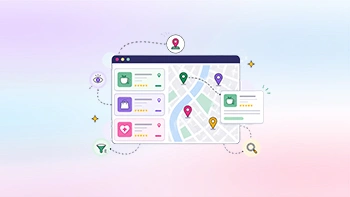
Hotel directories usually benefit from map-based discovery because travelers compare places visually. A hotel that looks good in a listing card may not be useful if it is far from the visitor’s target area.
For more detail, read How Maps and Addresses Work in Listdom and Locations vs Addresses in Listdom.
Custom fields for hotel listings
Custom fields help you store hotel-specific information.
Useful hotel fields may include:
- price per night
- star rating
- hotel class
- amenities
- room types
- breakfast included
- parking
- pool
- Wi-Fi
- airport shuttle
- pet policy
- accessibility
- check-in time
- check-out time
- cancellation policy
- family-friendly options
- business facilities
- distance to landmarks
- booking URL
- direct website URL
Not every hotel directory needs all of these fields.
A city hotel guide may need location, price range, amenities, and map data. A luxury travel directory may need room types, spa, restaurant, pool, and premium facilities. A hostel directory may need dorm/private room options, shared kitchen, laundry, social spaces, and budget range.
Every custom field should support one of these goals:
- help travelers compare hotels
- improve search and filters
- improve listing trust
- support hotel owner submissions
- support monetization packages
- improve the single hotel page
Avoid adding too many fields too early. More fields can improve structure, but they can also make listing submission harder and reduce data quality.
Search forms for hotel directories
Search is one of the most important parts of a hotel directory.
Visitors usually want to narrow results quickly. They may search by destination, area, price, property type, rating, or amenities.
A hotel search form may include:
- keyword
- location
- address
- property type
- price range
- star rating
- amenities
- parking
- breakfast
- pool
- pet-friendly
- accessibility
- family-friendly
- business facilities
- nearby area or landmark
- radius search, where relevant
Example search intents include:
- hotels near the airport
- budget hotels in the city center
- luxury hotels with pool
- family-friendly hotels in Barcelona
- pet-friendly hotels near the beach
- business hotels near conference center
In Listdom, search forms are created from Listdom → Search and Filter Builder. The fields you add should match the way travelers search.
A hotel directory should not overload the search form with every possible amenity. Start with the most important filters, then improve based on user behavior.
For a broader guide, read How to Create Search Forms in Listdom.
Map-based hotel discovery
Hotels are strongly connected to map context.
A traveler may not know the city well. The map helps them understand whether a hotel is close to attractions, transport, business areas, or the neighborhood they want.
A map-based hotel page can help users:
- compare hotels by area
- explore nearby options
- understand distance from landmarks
- find accommodation near airports or stations
- choose between city center and quieter neighborhoods
- compare price and location together
Map-based layouts are especially useful for:
- city hotel guides
- travel destination portals
- real estate-style accommodation directories
- vacation rental directories
- hostel directories
- resort and tourism directories
The map experience depends on accurate address and coordinate data. Before publishing many hotels, test a few listings and confirm that markers appear correctly.
Frontend submission for hotel owners
A hotel directory can be curated by admins, but it can also allow hotel owners or property managers to submit and manage listings.
Frontend submission is useful when:
- hotel owners add their own profiles
- property managers update amenities
- businesses upload photos
- owners add booking links
- managers update contact details
- hotels claim existing listings
- admins want to reduce manual work
In Listdom, frontend workflows can involve add listing forms, login and registration, the frontend dashboard, listing ownership, user roles, and moderation.
Moderation is important. Hotel owners may submit inconsistent descriptions, low-quality images, wrong categories, or incomplete amenities. Admin review helps keep the directory clean.
Useful related guides:
- How the Listdom Frontend Dashboard Works
- How Listdom Login, Registration, and Access Flow Work
- How to Moderate and Approve Listings in Listdom
A hotel directory should make owner participation easier, but the site still needs quality control.
Reviews, photos, and trust signals
Hotel decisions depend heavily on trust.
Travelers often compare photos, reviews, ratings, amenities, and location before choosing a hotel.
Useful trust elements include:
- hotel photos
- room photos
- guest reviews
- ratings
- amenities
- map location
- verified or claimed profiles
- contact details
- booking links
- policies
- check-in and check-out information
Reviews can be valuable, but they need moderation. Fake reviews, spam, and low-quality feedback can damage trust.
If you enable reviews, decide how they should work:
- Are reviews published immediately?
- Does an admin approve them?
- Can hotel owners respond?
- Are ratings shown on cards or only on listing pages?
- How will fake or abusive reviews be handled?
Photos are also important. A hotel listing without images usually feels incomplete. If hotel owners submit listings, make image quality part of your submission guidelines.
Booking and external reservation links
A hotel directory can support different action models.
Not every directory needs direct booking.
Common options include:
- link to the hotel website
- external booking link
- contact form
- phone number
- email inquiry
- booking request form
- appointment-style booking for tours or services
- direct reservation workflow, if configured separately
A discovery-focused hotel directory may simply send visitors to the hotel website or booking page.
A more advanced hotel project may need room availability, payments, calendars, booking rules, cancellation logic, and owner dashboards. That is closer to a booking platform and requires more planning.
If your goal is to build a hotel directory first, keep the booking layer simple. Start with clear listing data, good search, maps, and useful hotel pages. Then add booking workflows when the model is ready.
Monetization options for hotel directories
A hotel directory can be monetized in several ways.
The best option depends on traffic, market, and value to hotel owners.
Paid hotel listings
Hotels may pay to be listed if the directory sends visibility, leads, or booking traffic.
Featured hotels
Featured visibility can help selected hotels appear in stronger positions, such as homepage sections, top category pages, or special destination pages.
Claim listings
If admins create the initial directory, hotel owners may later claim their profiles and update information.
Membership packages
Hotel owners can have different package levels, such as basic listing, enhanced listing, and featured listing. Package differences may include visibility, fields, images, listing limits, or promotional options depending on the setup.
Sponsored placements
Travel brands, hotels, or local businesses may sponsor selected placements.
Advertising
A hotel directory can include travel-related ads or sponsorships, but ads should be clear and should not confuse users.
Booking-related revenue
If the directory sends users to booking pages or reservation workflows, monetization may connect to booking referrals, paid visibility, or provider packages depending on the business model.
For a broader overview, read How to Monetize a Directory Listing Website.
Best layouts for a hotel directory
A hotel directory usually needs several page types.
Homepage
The homepage should help visitors start searching quickly.
Useful sections may include:
- destination search
- popular locations
- property types
- featured hotels
- map preview
- recent hotels
- luxury or budget sections
- hotel owner CTA
Search results page
The results page should support comparison.
Useful listing card elements include:
- hotel name
- image
- location
- price range
- rating, if enabled
- property type
- amenities
- short description
- map marker, if used
- booking or website action
Map-based hotel page
A map-based page helps users compare hotels by location.
This is useful for city hotel guides, travel destinations, resort areas, and accommodation directories where location strongly affects decisions.
Single hotel page
The single hotel page should provide the details travelers need before choosing.
Useful sections include:
- image gallery
- description
- address
- map
- amenities
- price range
- check-in and check-out times
- contact details
- booking link
- reviews or ratings, if enabled
- related or nearby hotels
For more on listing detail pages, read How Single Listing Pages Work in Listdom.
Location and property type pages
Location and category pages can support both user browsing and SEO.
Examples:
- hotels in Barcelona
- budget hotels in Paris
- resorts in Bali
- hostels in Lisbon
- airport hotels in Istanbul
These pages should contain useful listing results and context, not thin duplicate content.
Common mistakes to avoid
Mixing hotel types with locations
Keep categories and locations separate. “Boutique Hotel” is a category. “Barcelona” is a location. “Free parking” is an amenity.
Missing map data
Hotels depend heavily on location. Weak address or coordinate data can make the directory less useful.
Weak filtering
Travelers often need filters such as price, property type, amenities, rating, and location. A hotel directory with only keyword search may feel limited.
Too many categories
Do not create a category for every amenity or travel preference. Use custom fields or features for secondary attributes.
No trust signals
Hotel users expect photos, ratings, reviews, policies, and clear contact or booking options. A listing with only a title and description is usually not enough.
Ignoring mobile travelers
Many users search for hotels from mobile devices. Search forms, maps, listing cards, and booking links should work clearly on small screens.
Trying to build a full booking platform too early
A hotel directory can start as a discovery website. Direct booking is a more advanced layer. Build the directory foundation first.
Keeping multiple hotel articles with the same intent
If you have one article about creating a hotel directory and another about a hotel listing plugin, they may compete with each other. Keep one canonical guide and merge weaker content into it.
Practical setup path with Listdom
Here is a practical path for creating a hotel directory website with WordPress and Listdom.
1. Define your hotel directory model
Decide whether the website will include hotels only or also hostels, resorts, apartments, villas, and guest houses.
2. Plan property categories
Create categories based on property type or travel segment. Keep the structure clear and useful for visitors.
3. Plan locations
Decide whether users will browse by country, city, district, neighborhood, travel area, or landmark-related zones.
4. Decide hotel custom fields
Choose fields such as price range, amenities, star rating, room types, check-in time, parking, breakfast, pet policy, and booking URL.
5. Configure maps if location matters
Hotel directories usually benefit from maps. Plan addresses, coordinates, map settings, and map-based display pages.
6. Create search forms
Use Listdom → Search and Filter Builder to create search forms for location, property type, price range, amenities, rating, and other key filters.
7. Create display pages
Use Listdom display layouts and shortcodes to build the hotel directory page, destination pages, map page, category pages, and single hotel pages.
8. Set up frontend submission if hotel owners will participate
If hotel owners or property managers should submit listings, plan registration, frontend dashboard, listing ownership, and moderation.
9. Plan monetization
Choose whether the directory will use paid listings, featured hotels, claim listings, memberships, sponsored placements, ads, or booking-related revenue.
10. Test with sample hotels
Create a few sample hotels before launch. Test search, maps, listing cards, single listing pages, mobile behavior, submission workflow, and moderation.
What to read next
To continue planning your hotel directory, read these related Listdom guides:
- How Listings, Categories, and Locations Work in Listdom
- How Maps and Addresses Work in Listdom
- Locations vs Addresses in Listdom
- How to Create Search Forms in Listdom
- How the Listdom Frontend Dashboard Works
- How to Monetize a Directory Listing Website
- WordPress Map Directory Plugin: How to Show Listings on an Interactive Map
Conclusion
A hotel directory website succeeds when it helps travelers compare options clearly.
Visitors need more than hotel names. They need property types, locations, addresses, maps, amenities, photos, reviews, booking links, and search filters that match how people choose accommodation.
Listdom gives WordPress users a practical foundation for building that kind of hotel directory. You can organize hotel listings with categories and locations, add structured fields, display maps, create search forms, support frontend submission, moderate listings, and add monetization workflows where appropriate.
Start with the directory model. Plan hotel types, locations, fields, maps, and search before adding many listings. Then build useful listing pages that help travelers make decisions.
That is how a hotel directory becomes more than a list of places to stay. It becomes a real travel discovery system.
FAQ
Can I create a hotel directory website with WordPress?
Yes. You can create a hotel directory website with WordPress using a directory plugin like Listdom to manage hotel listings, categories, locations, addresses, maps, search forms, and listing pages.
What should a hotel listing include?
A hotel listing can include the hotel name, description, property type, address, map position, price range, amenities, photos, contact details, website, booking link, check-in and check-out times, and reviews or ratings where enabled.
Can users search hotels by price and location?
Yes. A hotel directory can be structured so users search by location, address, property type, price range, amenities, rating, and other custom fields depending on how the search form is configured.
Do hotel directories need maps?
Maps are very useful for hotel directories because travelers often compare accommodation based on distance from airports, landmarks, stations, neighborhoods, and city centers. Accurate address and coordinate data are important.
Can hotel owners submit their own listings?
Yes. Hotel owners or property managers can submit and manage listings through frontend submission and dashboard workflows when configured. Moderation is recommended to keep the directory consistent.
Can I monetize a hotel directory website?
Yes. Hotel directories can be monetized through paid listings, featured hotels, claim listing workflows, membership packages, sponsored placements, ads, or booking-related revenue models.
Is Listdom a hotel booking system?
Listdom is a directory plugin. It can help you create hotel listings, search pages, maps, and directory workflows. A full hotel booking platform with room availability, reservations, payments, and cancellation rules requires more specialized planning and configuration.
Should I keep a separate hotel listing plugin article?
If two articles target the same hotel directory intent, it is better to keep one canonical hotel directory guide and merge weaker overlapping content into it. This avoids SEO cannibalization and creates a stronger article.