What is a WordPress map directory plugin?
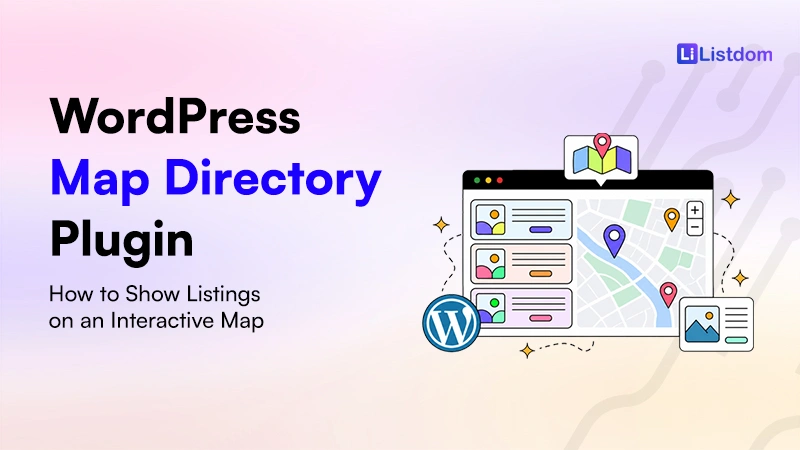
A WordPress map directory plugin helps you create a directory website where listings can appear on an interactive map.
Depending on the type of website, those listings might be:
- local businesses
- restaurants and cafes
- real estate properties
- hotels and travel places
- doctors and clinics
- service providers
- attractions and landmarks
- events and venues
- city portal places
- offices or branches
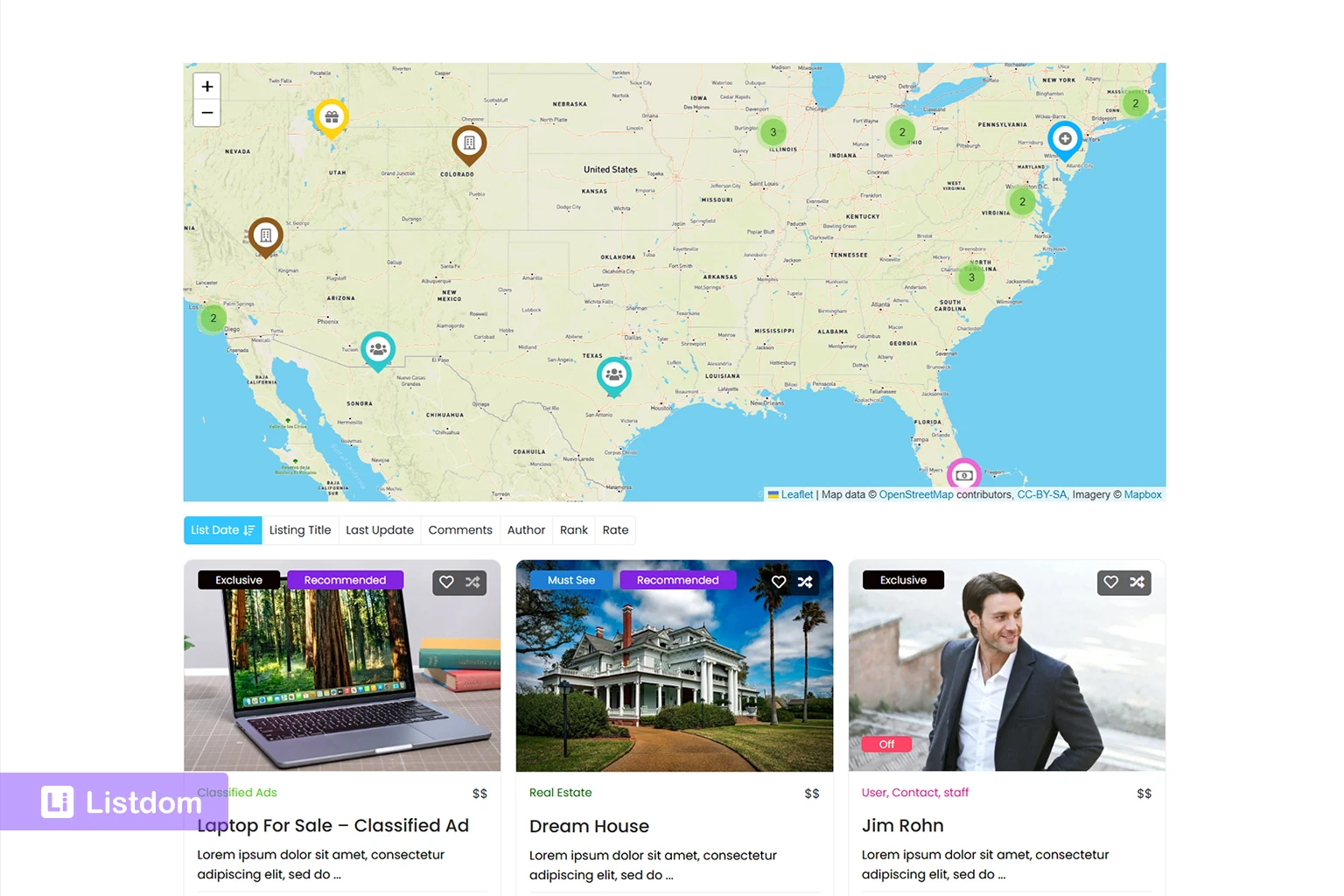
The map is only one part of the system. A useful map directory also needs listing data behind it.
A listing should usually have a title, description, category, location, address, coordinates, contact details, and a dedicated listing page. Visitors should be able to search, filter, browse, and understand each result before deciding what to do next.
A WordPress map directory plugin connects those pieces together.
The goal is not only to show pins on a map. The goal is to help users discover relevant places.
Why map directories need more than map pins
Map pins are useful, but they are not enough for a real directory website.
A visitor usually needs more than location. They may want to know:
- what type of listing it is
- which category it belongs to
- which city or neighborhood it serves
- whether it is near their current location
- how far away it is
- whether it has photos, reviews, contact details, pricing, or booking options
- whether it matches their search filters
- whether they can open a full listing page for more details
This is why a directory website needs structured data.
A map pin can show a point. A directory listing explains what that point means.
For example, a restaurant directory should not only display restaurant markers. It should also let users filter by food type, city, neighborhood, price range, opening hours, or other useful fields. A real estate directory should not only show property pins. It should also help users search by category, location, property type, price, bedrooms, and other structured data.
A strong map directory combines:
- listing pages
- categories
- locations
- addresses
- coordinates
- map markers
- search forms
- filters
- map layouts
- local discovery features
That is the difference between a simple map and a map-based directory.
Common use cases for a map directory website
Map directories are useful whenever location affects the user’s decision.
Local business directories
A local business directory can show shops, offices, restaurants, services, and other businesses on a map. Visitors can explore businesses by category, area, or nearby location.
Restaurant and cafe directories
Food directories benefit from maps because users often choose places based on distance, neighborhood, or convenience. Address search, location filters, and current-location controls can make the experience easier.
Real estate directories
Real estate users care deeply about location. A map can help them compare neighborhoods, nearby streets, and property clusters. For privacy, some sites may use exact or approximate addresses depending on their policy.
Healthcare directories
Doctor, clinic, hospital, or wellness directories need clear location data because patients often care about distance, access, and nearby services.
Hotel and travel directories
Hotels, attractions, tour locations, and travel places are naturally map-driven. A map helps users understand whether a place is close to landmarks, transport, shopping areas, or city centers.
Service provider directories
Plumbers, cleaners, tutors, repair services, consultants, and other providers may serve specific areas. Some have physical offices, while others work across a service region. A directory can combine location filters, service areas, and address-based search.
City portals
City portals often need maps for attractions, restaurants, local services, events, public places, and neighborhood guides. They usually benefit from both strong Location taxonomy and accurate address data.
Key features to look for in a WordPress map directory plugin
When choosing a WordPress map directory plugin, do not only ask whether it can show a map. Ask whether it can support the full discovery experience.
Listing addresses and coordinates
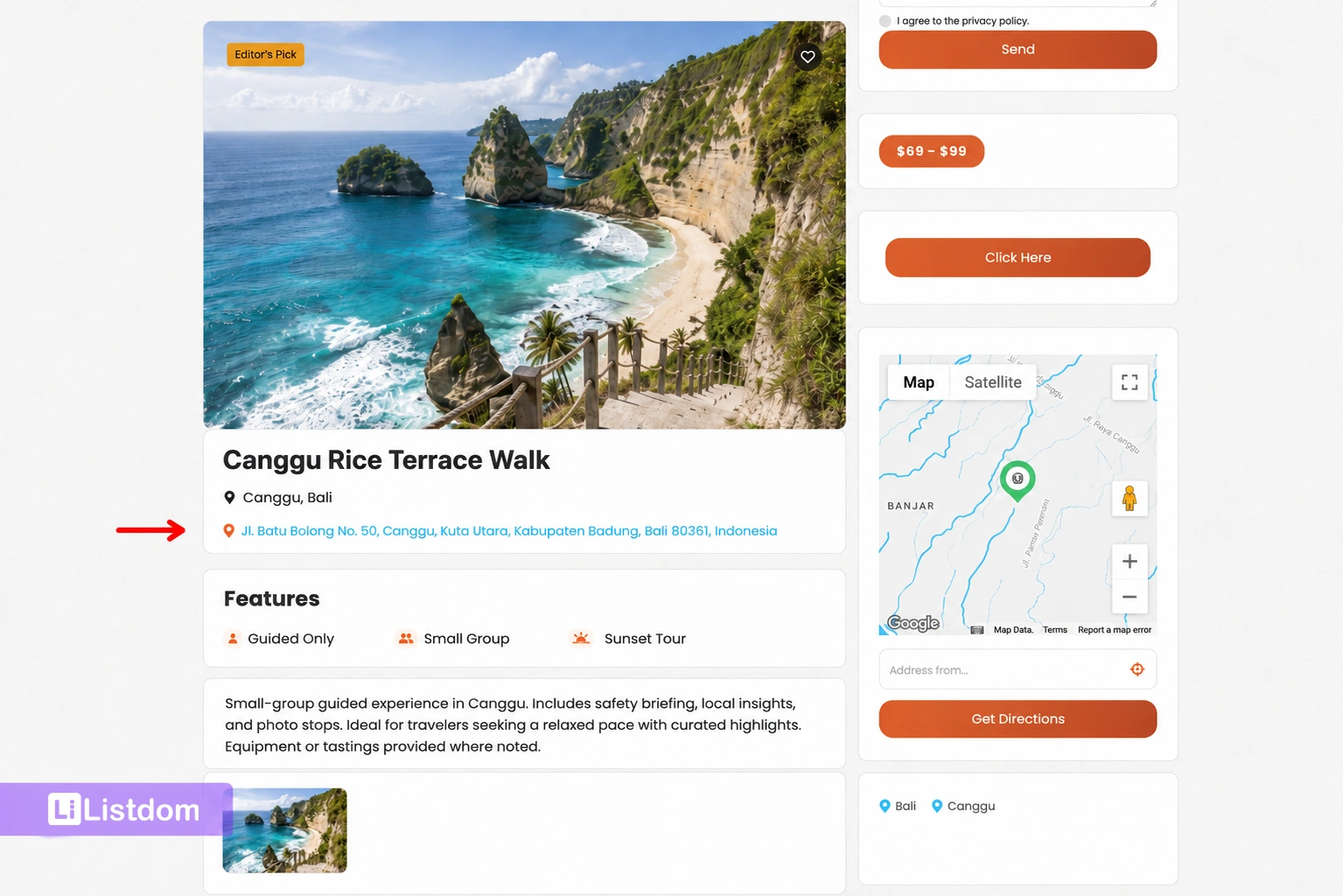
A map directory needs accurate listing location data.
Each listing should be able to store an address and map position. Coordinates are important because the map needs a precise point for the marker.
A human-readable address helps visitors understand the place. Latitude and longitude help the map place it accurately.
Interactive map display
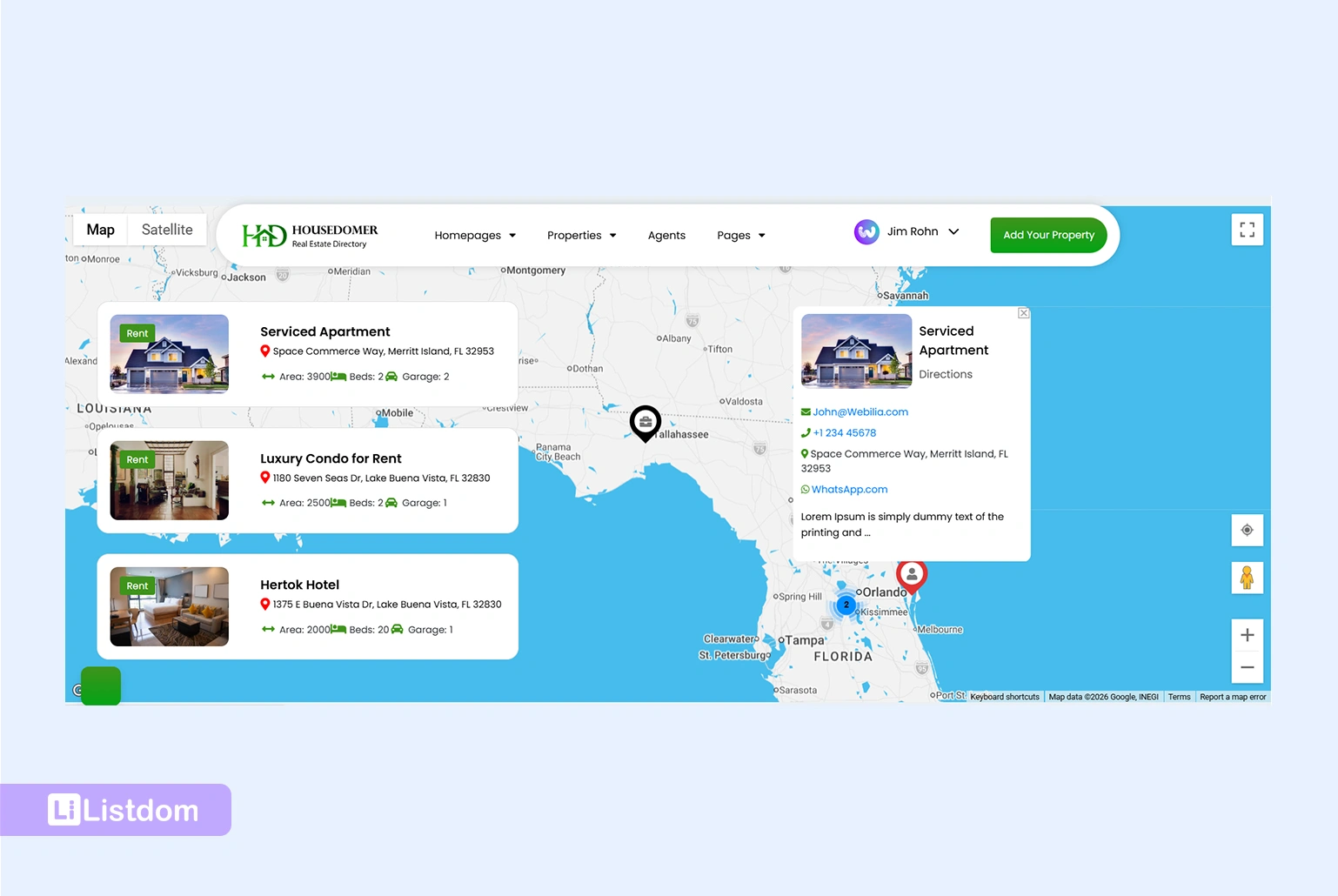
The plugin should support interactive maps where users can explore listings visually. Depending on your use case, you may need a map-only display, a split map-and-results layout, or a listing page with a single listing map.
Google Maps and OpenStreetMap support
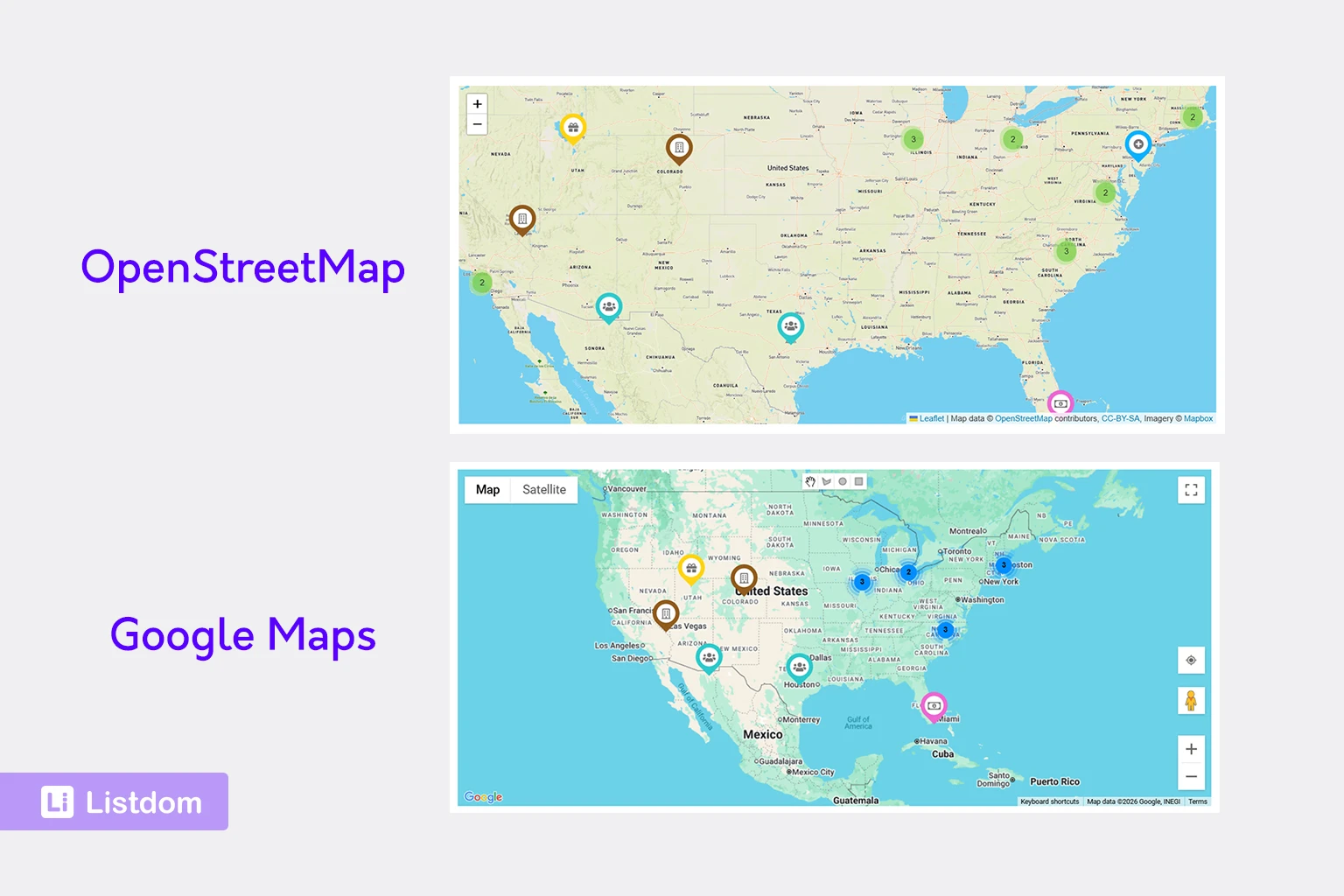
Different websites have different map provider needs. Some prefer Google Maps. Others prefer OpenStreetMap/Leaflet. A practical map directory plugin should give you provider flexibility and clear setup options.
Map layouts and skins
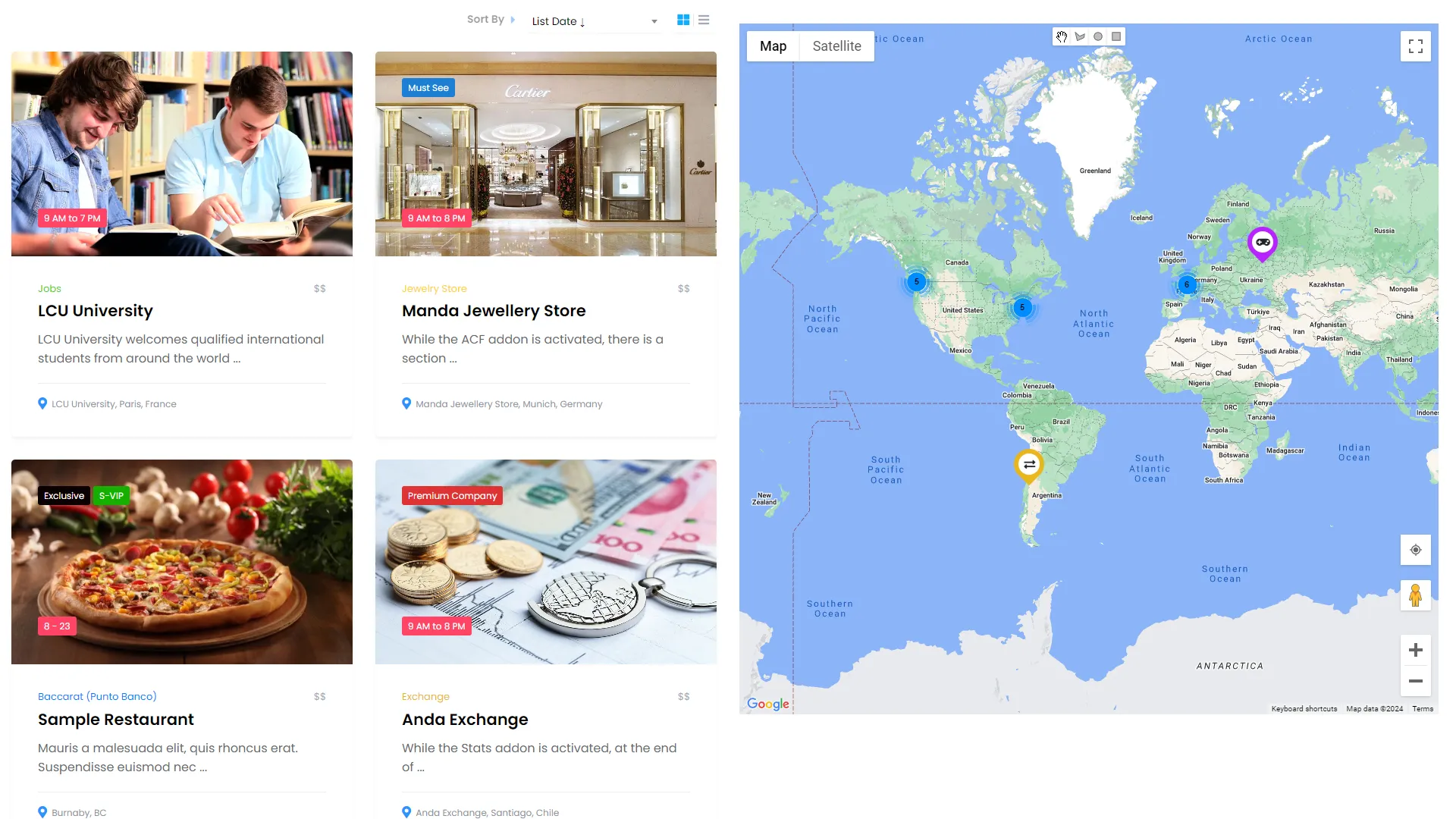
Map display is not one-size-fits-all.
A city portal may need a large map with multiple places. A real estate site may need listings on one side and a map on the other. A single business listing may only need a map on the listing detail page.
Look for map layouts that match the way visitors actually browse.
Search by location and address
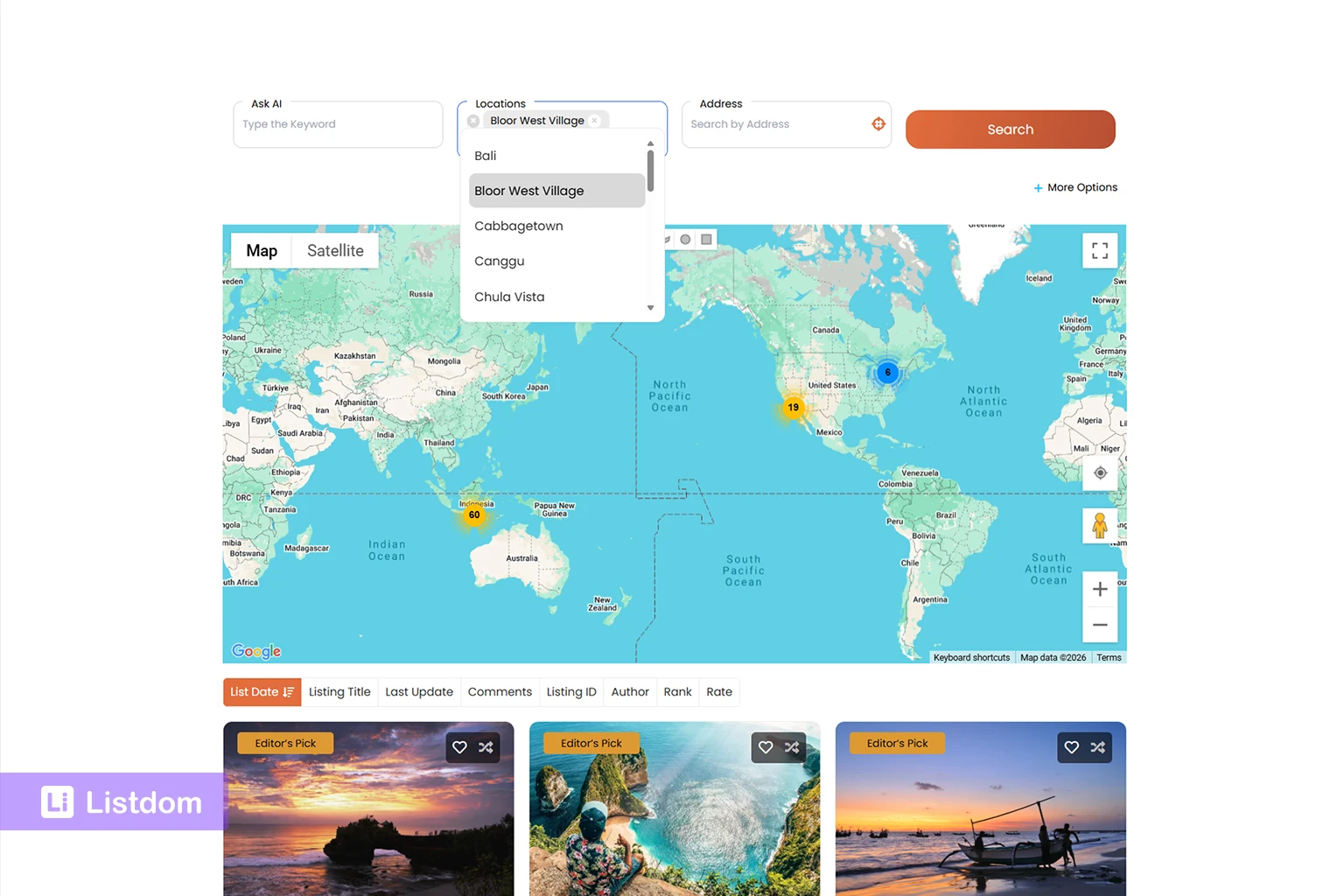
A strong map directory should support more than one type of geography search.
Users may search by a Location taxonomy such as city or neighborhood. They may also search by a typed address, current location, or nearby point. These are different search behaviors and should be planned carefully.
Address autocomplete and locate controls
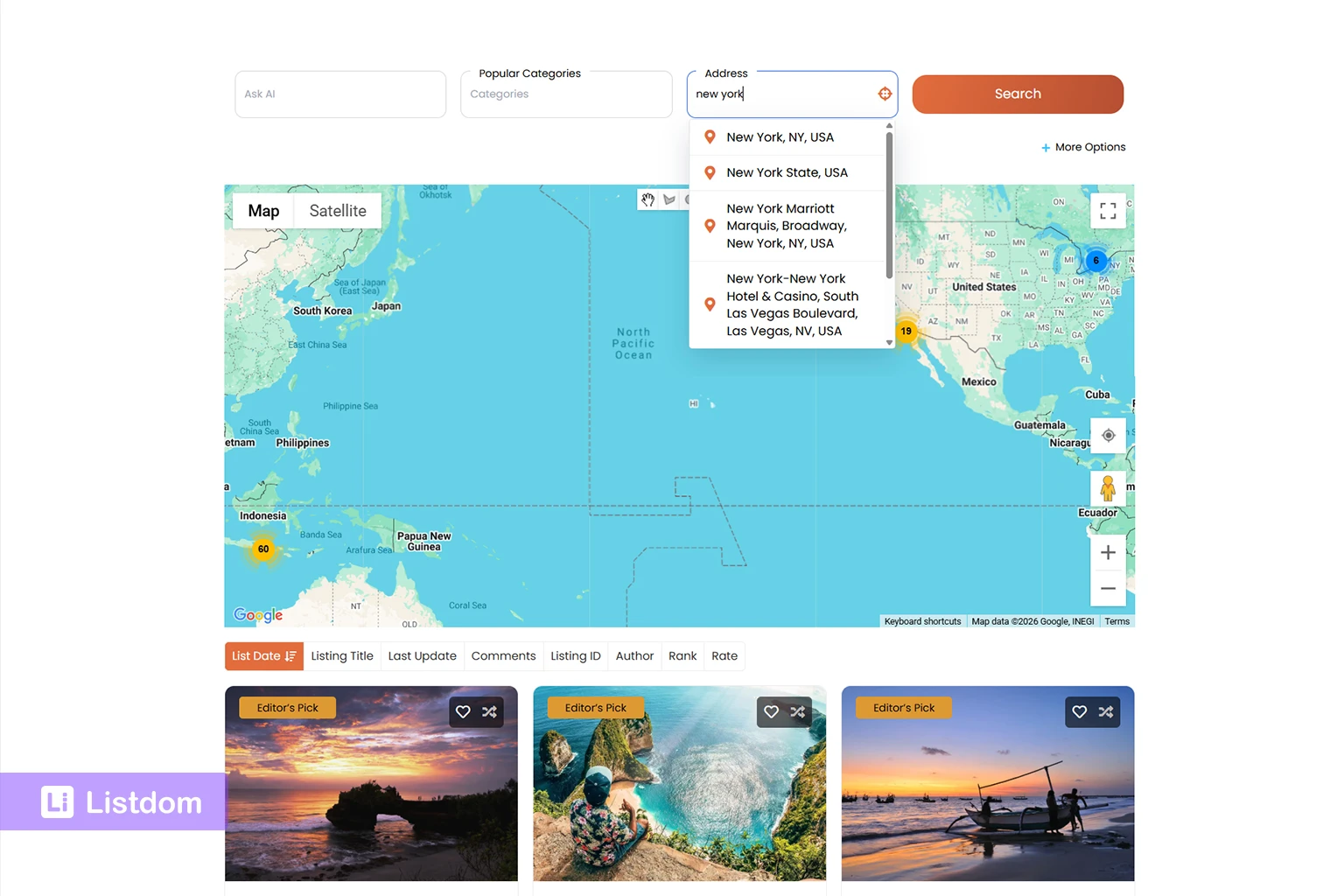
Address search becomes easier when users do not need to type everything manually.
Autocomplete or autosuggest can help users enter a place faster. Locate or current-location controls can help users search from where they are. These options are especially useful for restaurants, services, healthcare, hotels, city portals, and other local directories.
Radius and near-me search options
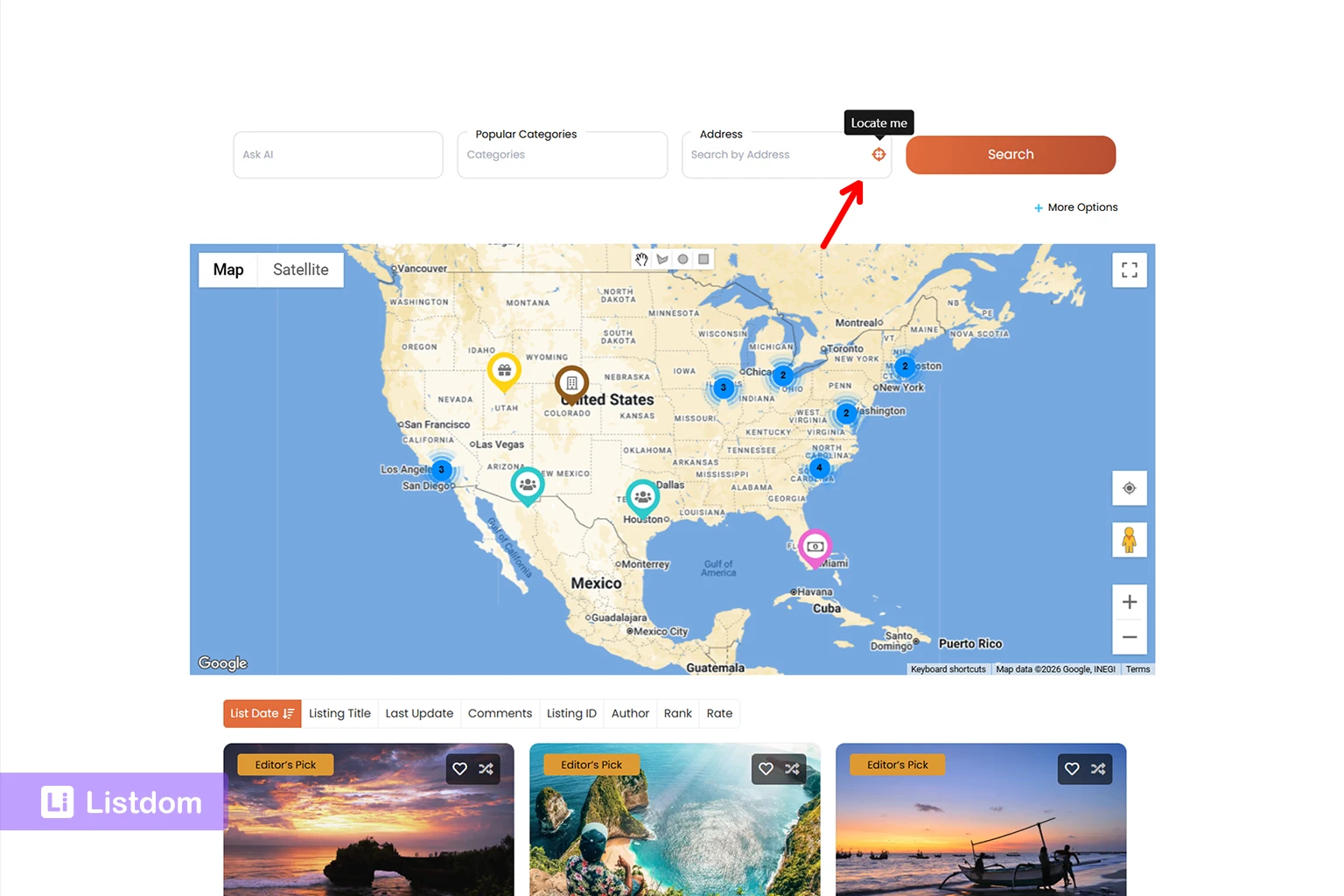
Some directories need distance-based discovery. For example:
- restaurants within 5 km
- clinics near me
- hotels near a station
- services within a selected radius
- properties near a specific place
Radius search needs reliable address and coordinate data. It is not the same as simply filtering by city.
Listing detail pages
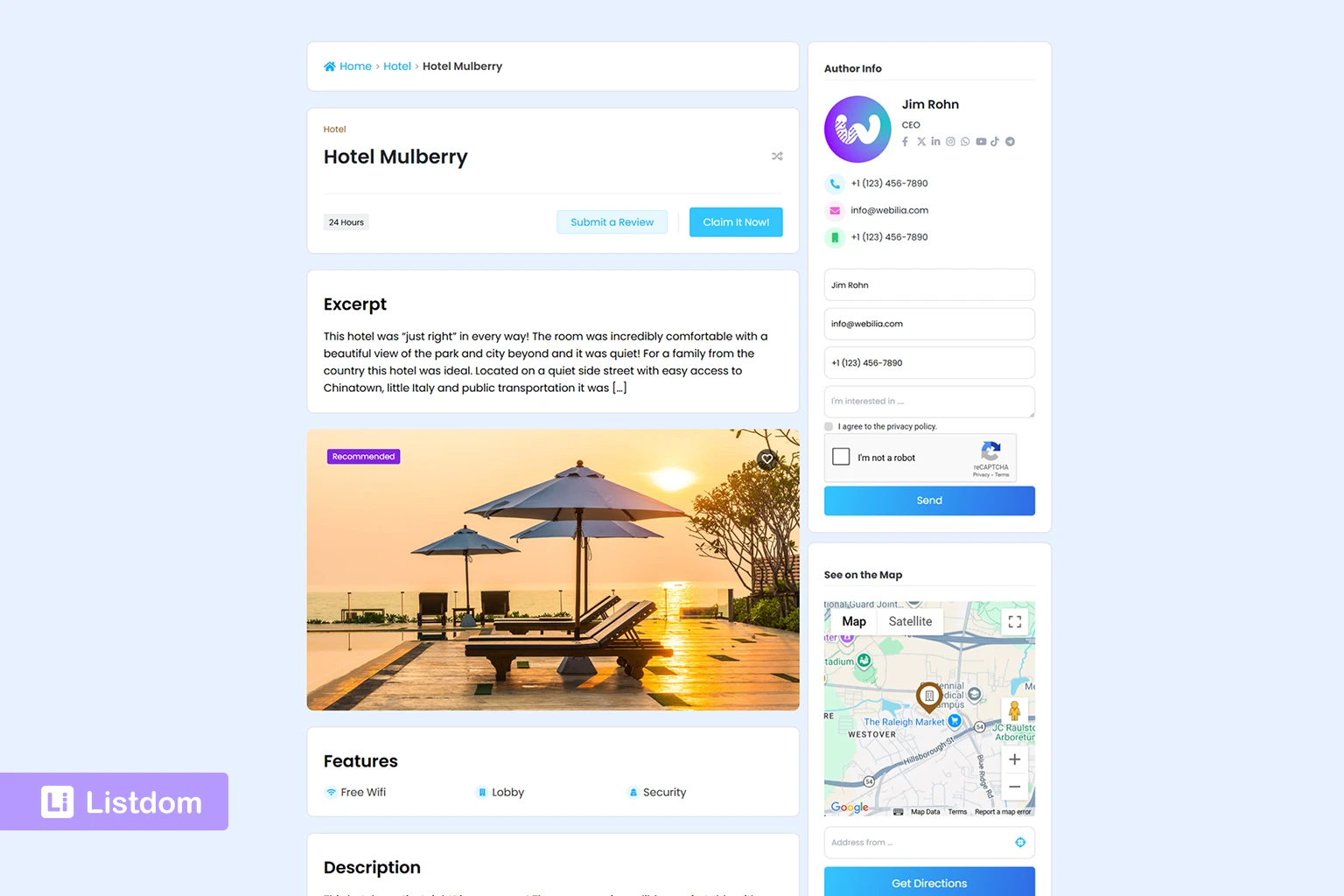
A map marker should connect to useful listing information. Users often need to open a listing page to see details, images, contact information, pricing, booking options, or other fields.
Frontend submission
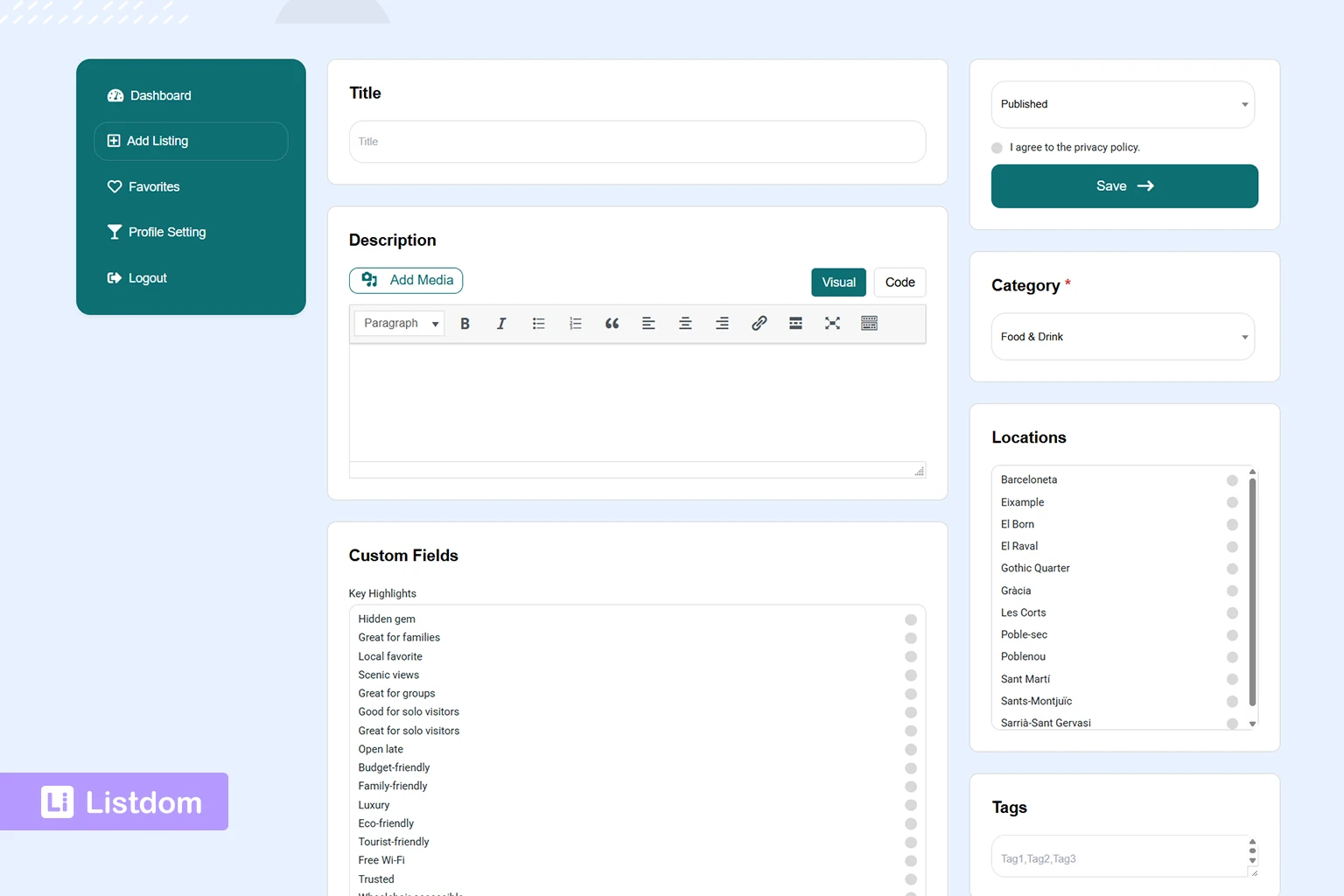
If your directory accepts listings from business owners or users, frontend submission becomes important. A map directory should make it possible to collect address and location data accurately during submission.
Monetization options
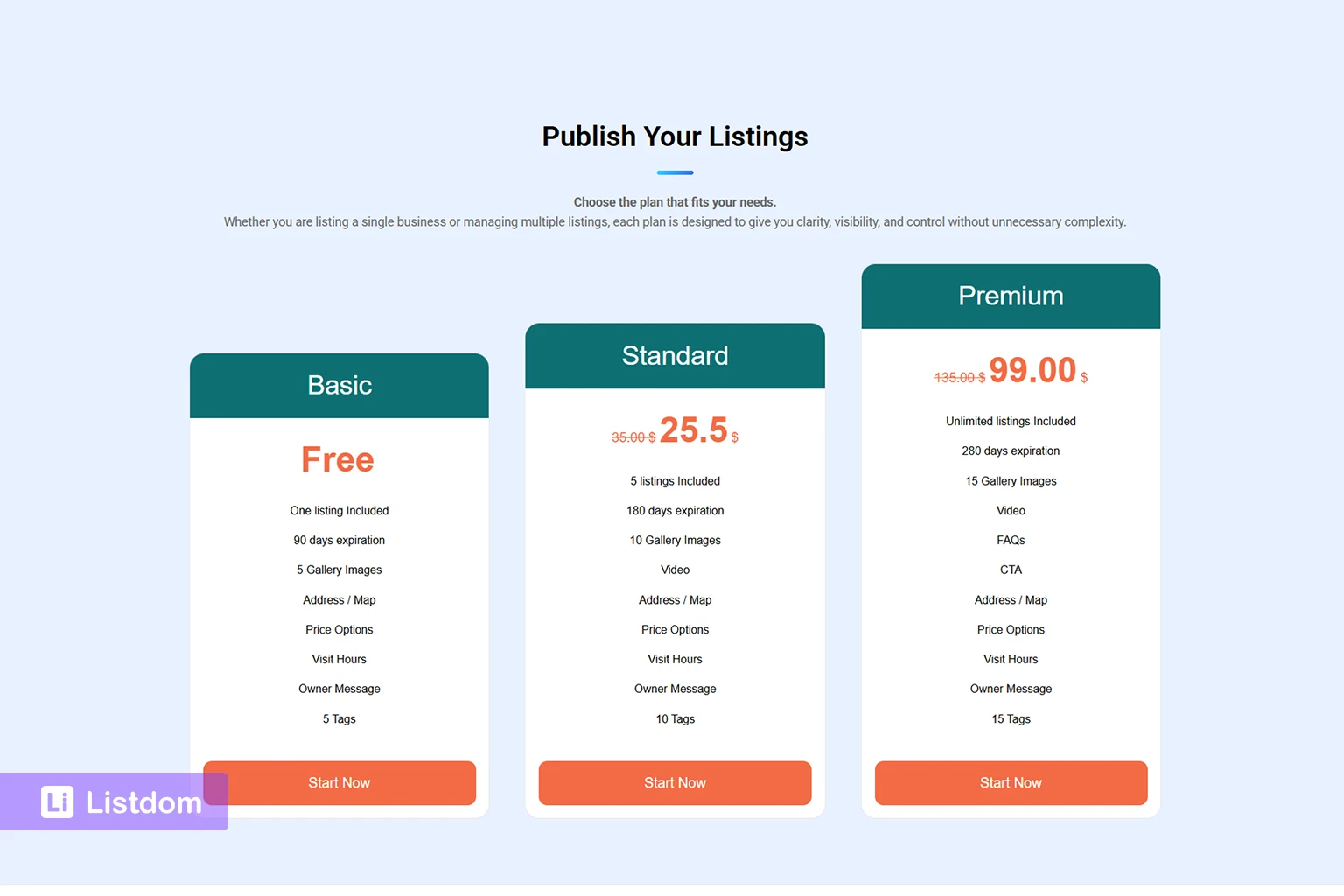
Many directory websites eventually need monetization. This can include paid listings, subscriptions, featured listings, claim workflows, advertising, booking, or other visibility tools.
Map-based discovery can support monetization because location visibility is valuable for many businesses.
How Listdom supports map-based directory websites
Listdom is a WordPress directory plugin that includes map, address, location, and search features for building different types of directory websites.
With Listdom, you can structure listings with:
- categories
- locations
- addresses
- coordinates
- listing details
- search forms
- display shortcodes
- map-based skins
- frontend submission workflows
- optional monetization features through relevant addons and settings
For map-based directories, Listdom separates several important concepts:
- Location taxonomy organizes listings by area.
- Address data describes where an individual listing physically is.
- Coordinates help the map place the listing marker accurately.
- Map Module settings control global map behavior.
- Search forms control how users discover listings by category, location, address, current position, radius, and other filters.
This separation is important because a good directory needs both structure and precision.
A listing can belong to a city or neighborhood through its Location taxonomy. It can also have an exact address and coordinates for map display. The map provider and geocoding settings are handled globally through the Map Module, while search forms decide how users interact with that data.
For a deeper explanation of these concepts, read How Maps and Addresses Work in Listdom.
Listing addresses, coordinates, and map accuracy
Map accuracy depends on listing-level location data.
In Listdom, a listing address is managed from the Add/Edit Listing screen inside the Location meta box. This is where the listing can work with address-related data, latitude, longitude, marker placement, and map visibility behavior.
The listing-level Location meta box can include:
- the listing Address field
- latitude and longitude
- the Exclude from Map option
- Marker mode
- Shape mode
- interactive map preview
- marker placement on the map
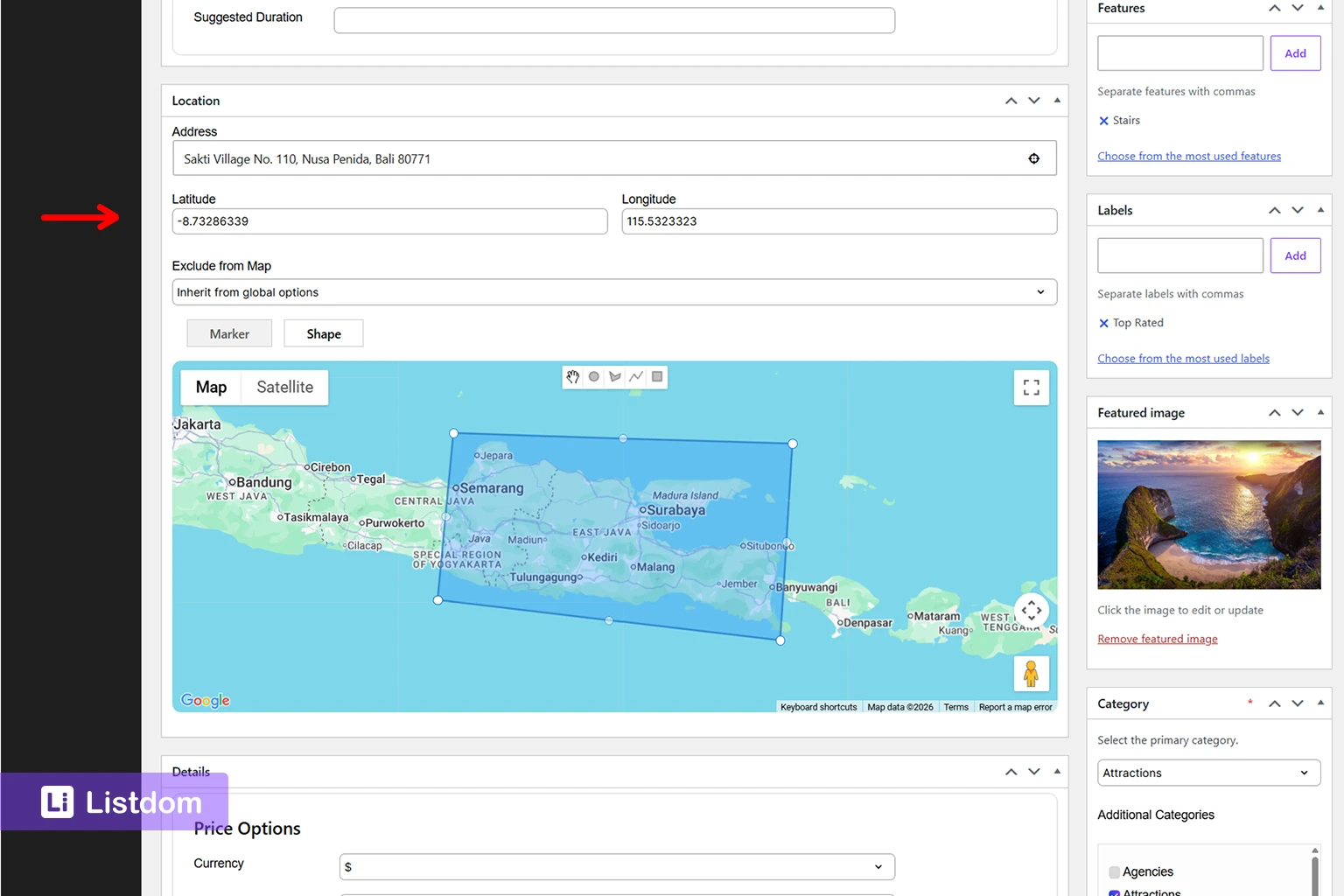
This is different from the Location taxonomy.
A Location taxonomy term might be “Barcelona,” “Downtown,” or “Santa Monica.” An address is the physical place for one listing. Coordinates tell the map where to place that listing.
This distinction matters. A city name can help users filter listings. But an exact address and coordinates help place the marker accurately on the map.
For a focused explanation, read Locations vs Addresses in Listdom.
Map display options in Listdom
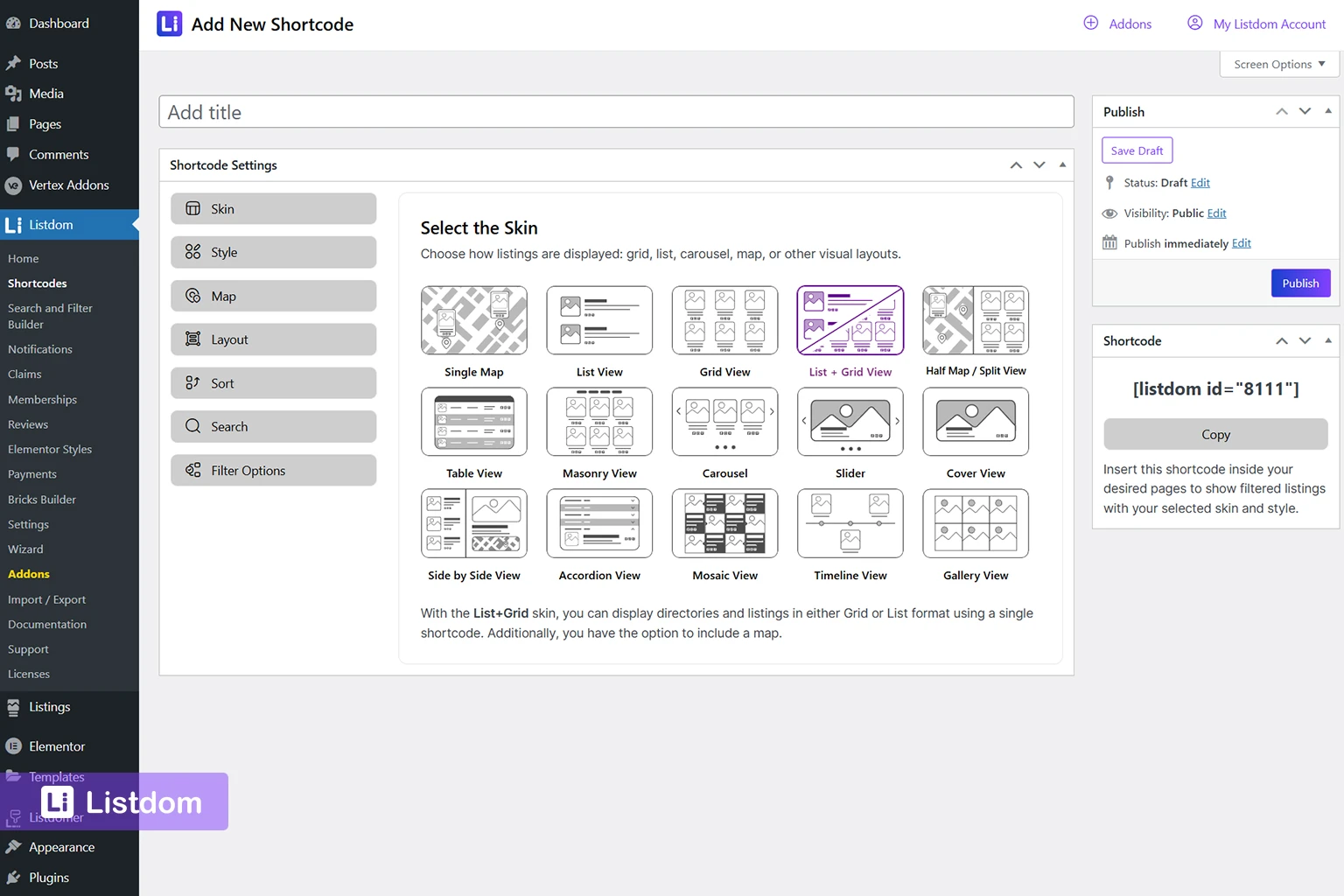
Listdom uses shortcodes as saved display configurations. In practice, you create or configure a display style, then place the generated shortcode on the page where you want listings to appear.
This gives you flexibility because different pages can show listings differently.
For map-based directory pages, two important display options are Single Map and Half Map.
Single Map
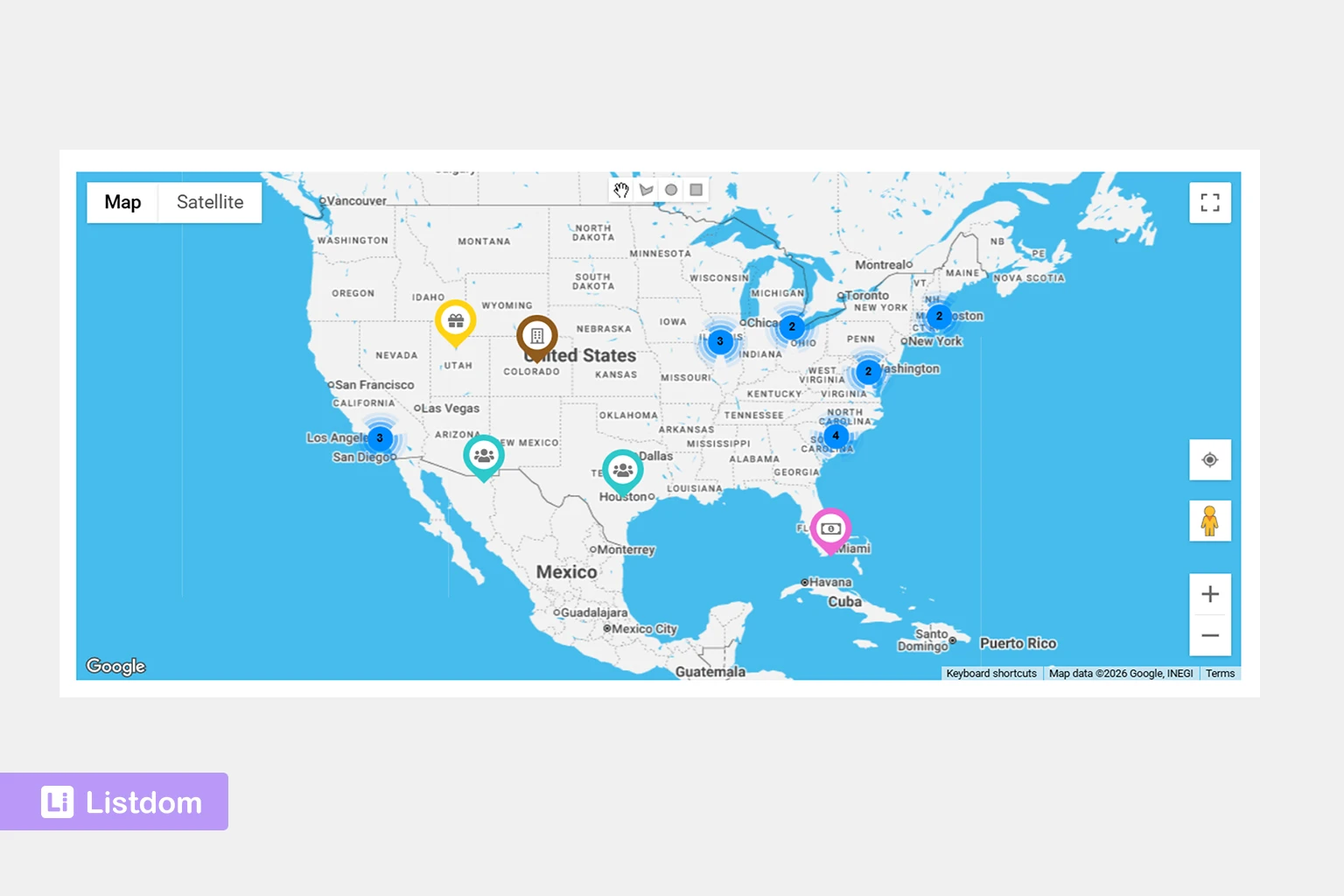
The Single Map skin is useful when the map itself is the main interface.
This type of layout works well when users are expected to explore listings visually, such as:
- attractions in a city
- restaurants in an area
- service points
- public places
- real estate locations
- travel destinations
A Single Map layout can be useful when the user does not need a long list first and wants to discover listings through map markers.
Half Map
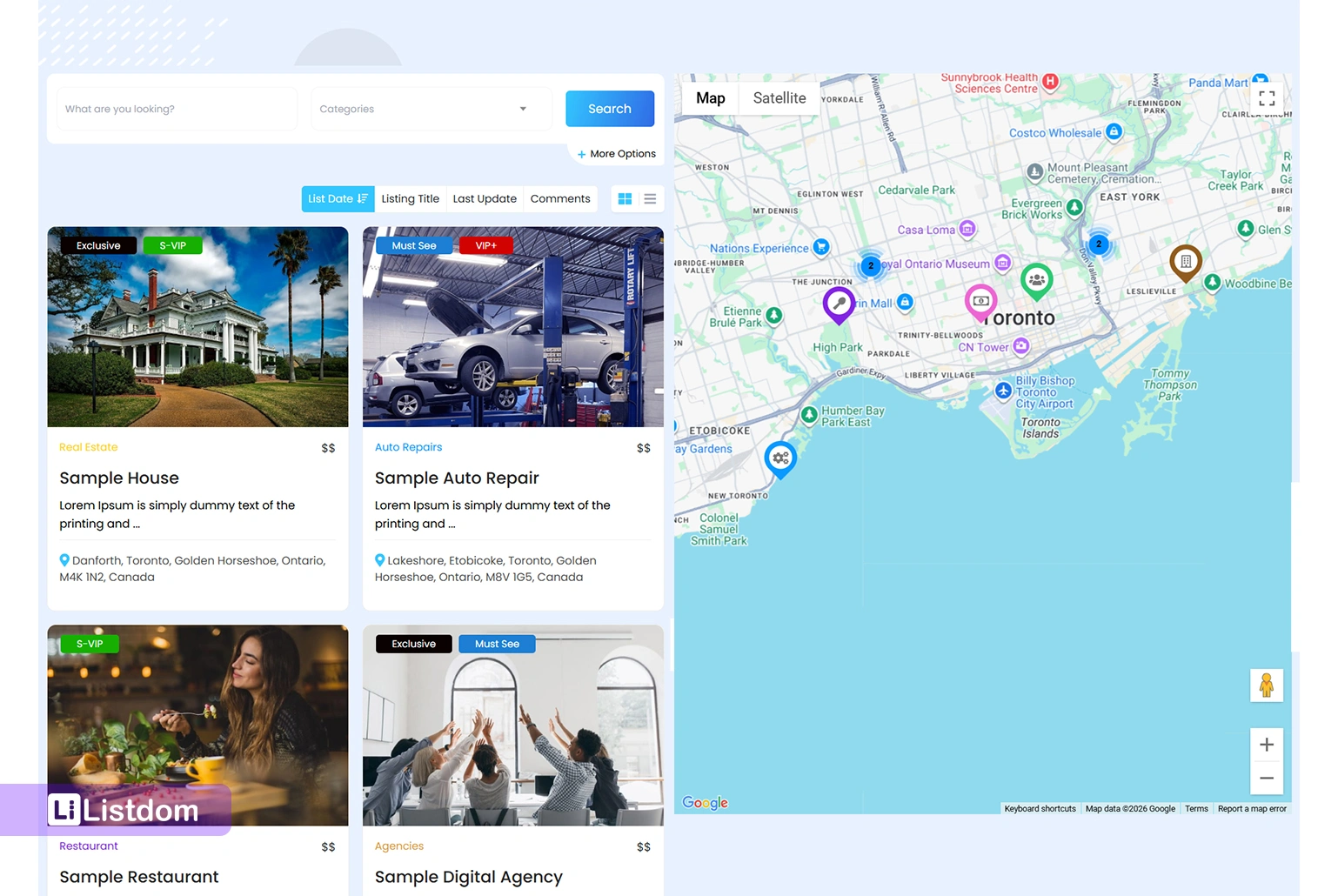
The Half Map skin is useful when users need both map context and listing results.
This layout shows listing results and the map together. It is especially useful when people compare listings while keeping location in mind.
Good use cases include:
- real estate directories
- hotel directories
- local service directories
- restaurant directories
- healthcare directories
- city portals
Half Map is often a strong choice when users need to scan results and compare distance or area at the same time.
Map component requirement
Map-based skins need the map component and map provider settings to be configured correctly. If the listing data is weak or the Map Module settings are incomplete, the map display may not behave as expected.
That is why map display should be planned together with listing data, address quality, coordinates, and global Map Module settings.
Google Maps vs OpenStreetMap/Leaflet for directory maps
A WordPress map directory plugin should give you practical control over the map provider.
In Listdom, the Map Module settings include the default map provider and related configuration options. Google Maps can be used when the required Google Maps API key and related APIs are configured. OpenStreetMap/Leaflet can also be part of the map setup, and Mapbox token support can be relevant for map tiles.
This choice matters because each provider can affect setup, API keys, cost expectations, geocoding behavior, and map display.
For many directory owners, the best choice depends on:
- whether they already use Google Maps
- whether they want Google Places or geocoding behavior
- whether they want to avoid depending only on Google Maps
- whether they need Mapbox tiles
- whether they need directions, geocoding, or address suggestions
- how much control they want over the map environment
The important point is that map provider settings are global. They are not controlled inside each listing. Individual listings store address and coordinate data, while the Map Module controls the map environment those listings use.
Search forms make map directories useful
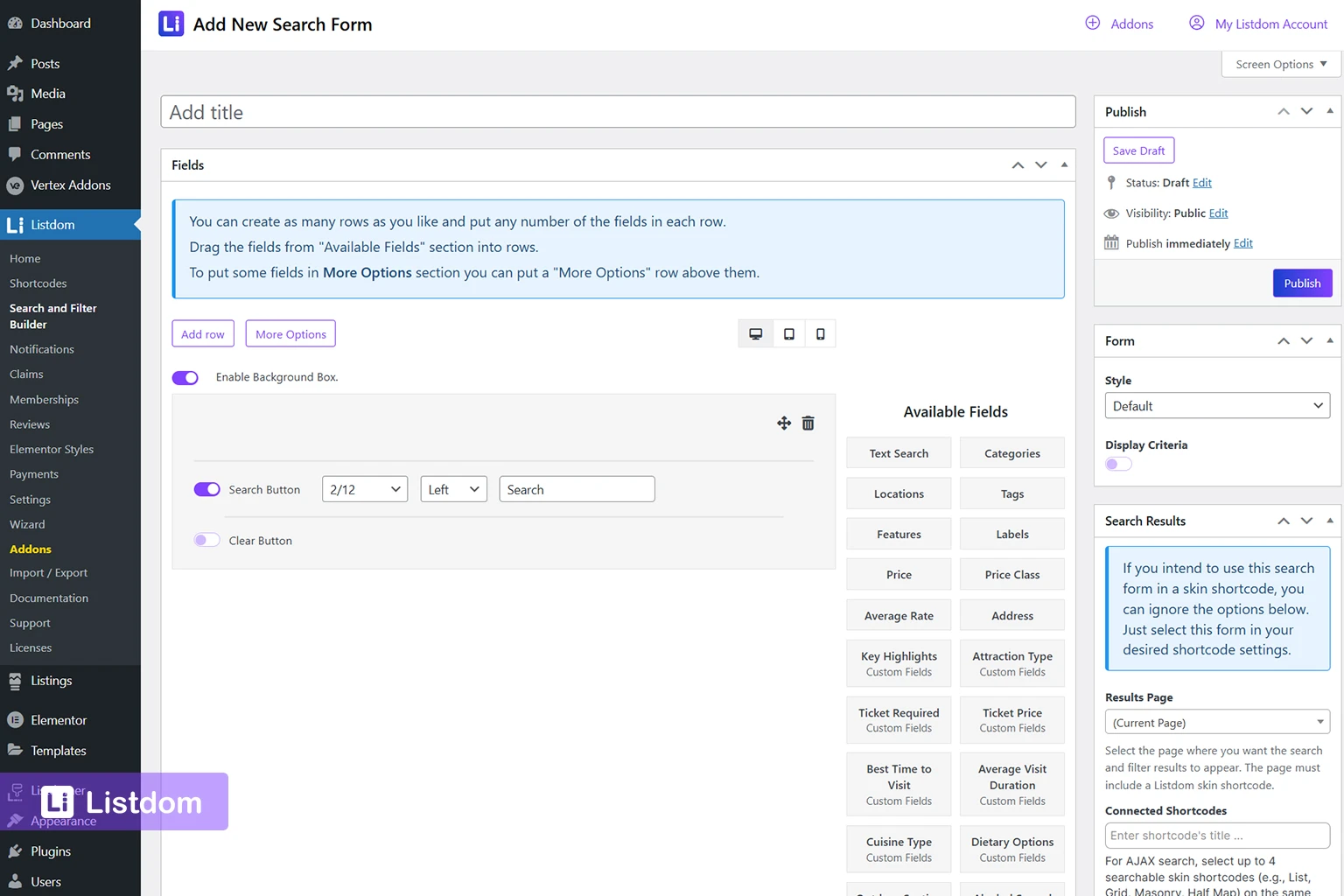
A map directory becomes much more powerful when users can search and filter the listings.
Listdom’s Search and Filter Builder can help create search experiences that match different directory needs.
For map-based directories, geography-related search can involve several layers.
Location filtering
Location filtering uses the Location taxonomy.
This is useful when visitors want to browse by:
- city
- region
- district
- neighborhood
- service area
For example, a user may choose “Barcelona” to see listings assigned to that Location.
Address search
Address search works with listing address data.
This is useful when users search around a specific place, type an address, or look for listings connected to an address-based query.
Autocomplete and locate controls
Address autocomplete or autosuggest helps users enter places more easily. Locate or current-location controls can help users search from their current position.
These options are especially useful for local discovery. A visitor looking for food, healthcare, hotels, services, or nearby places often wants faster search than manually typing a full address.
Radius and near-me behavior
Radius search is useful when distance matters.
Examples include:
- show restaurants within 5 km
- find clinics near me
- show hotels near this address
- find service providers around my location
Radius search depends on reliable address and coordinate data. If listings do not have accurate map data, distance-based search will not feel trustworthy.
For a broader guide to Listdom search forms, read How to Create Search Forms in Listdom.
Store locator vs map directory plugin
A store locator and a map directory plugin can look similar at first, but they are not always the same thing.
A store locator is usually enough when you want to show your own branches, offices, shops, or service points. The data is usually controlled by one company.
A map directory plugin is better when the website includes many independent listings, categories, filters, listing pages, user submissions, and possibly monetization.
A store locator is often about “Where is our nearest branch?”
A map directory is often about “Which listing is the best match for me in this area?”
Choose a full directory approach when you need:
- independent listings
- categories and filters
- listing detail pages
- searchable areas
- frontend submission
- user or business owner participation
- monetization options
- map and non-map layouts
- richer content per listing
Choose a simpler map or store locator approach when you only need a small number of static locations. At the same time, Listdom is scalable enough to support both use cases. You can use it as a straightforward store locator for a handful of branches, offices, or service points, and later expand it into a full-featured directory with categories, search filters, listing detail pages, user submissions, and monetization options as your project grows.
When a map directory plugin is the right choice
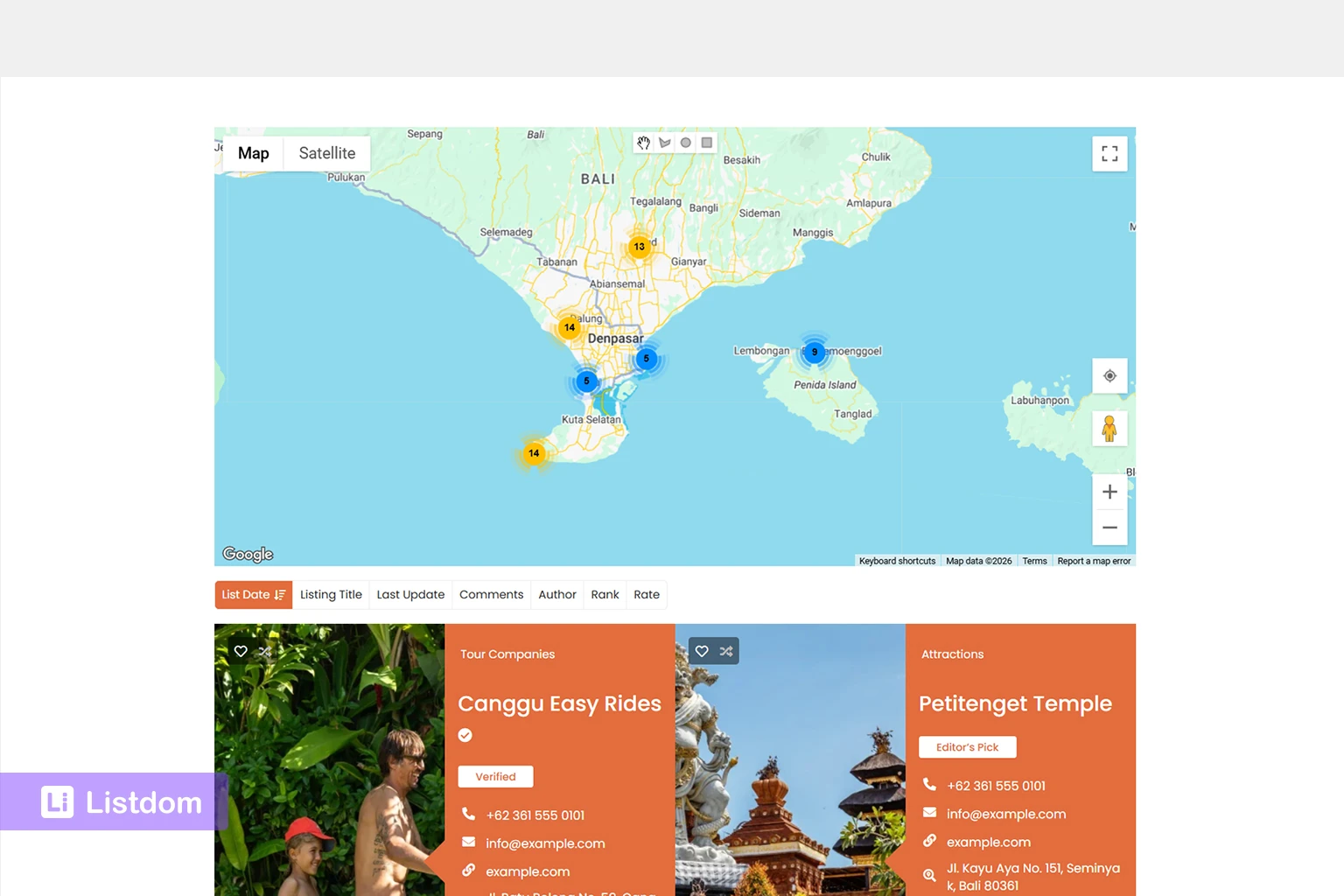
A WordPress map directory plugin is a good fit when location is part of the decision-making process.
It is especially useful when:
- visitors compare listings by area
- listings have physical addresses
- users search by city or neighborhood
- users need nearby results
- map markers help users understand the options
- listings need categories and filters
- listing detail pages are important
- submissions or claims may be needed
- monetization may become part of the model
This is why map directory plugins work well for local business directories, city portals, restaurant directories, real estate websites, healthcare directories, hotel directories, service provider directories, and attraction guides.
The map helps users understand location. The directory helps users understand the listing.
When a simple map plugin may be enough
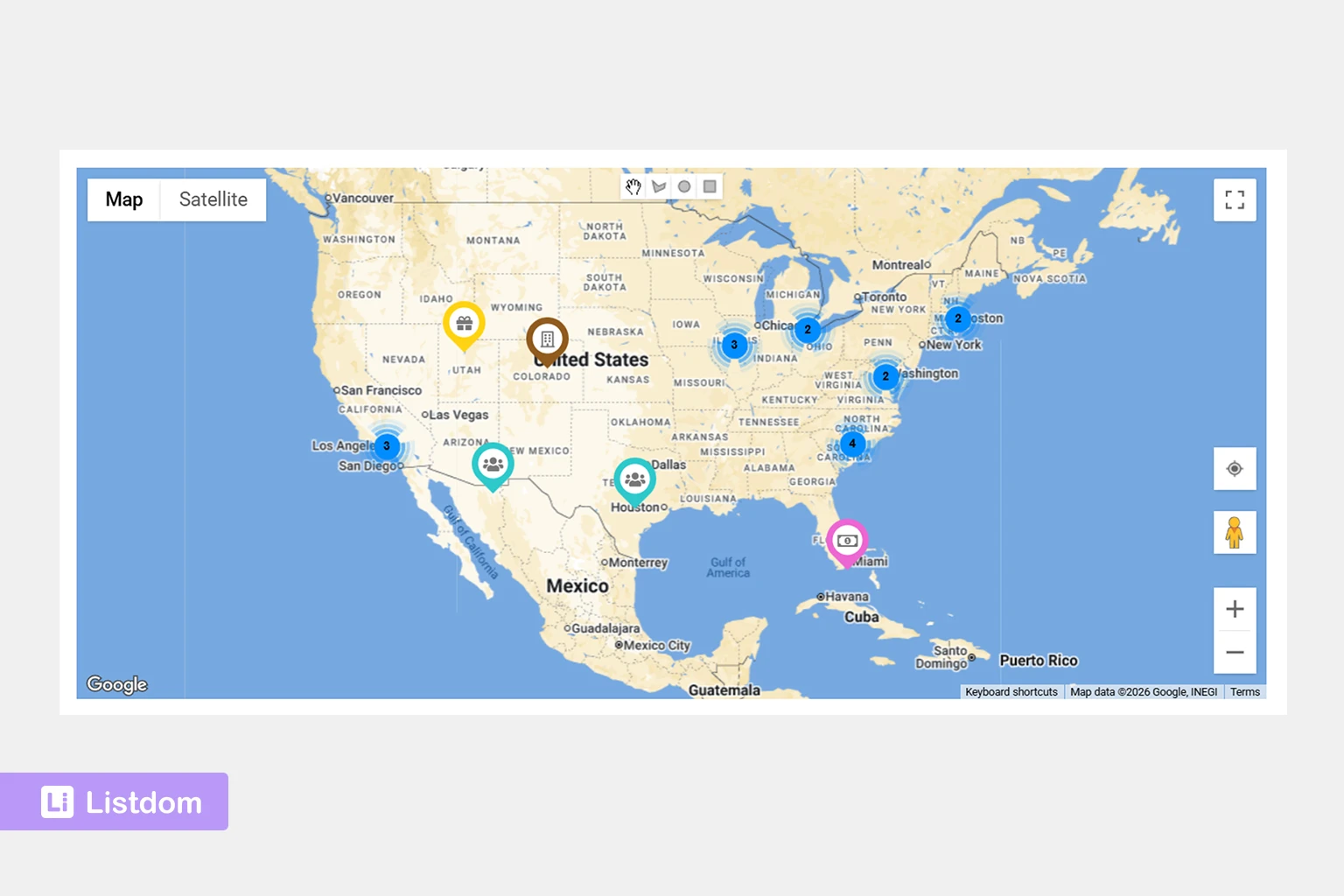
A full directory plugin may be more than you need if your project is very simple.
A simple map plugin may be enough when:
- you only need a few static pins
- there are no listing pages
- users do not need filters
- users do not submit listings
- categories and taxonomies are not needed
- monetization is not part of the plan
- local search is not important
For example, a small company with three office locations may only need a basic map or store locator. But a website with hundreds of businesses, restaurants, properties, doctors, hotels, or services needs a more complete directory system.
Practical setup path with Listdom
A map-based directory works best when you plan the structure before publishing a large number of listings.
Here is a practical setup path:
1. Plan your listing categories
Start by deciding what types of listings your directory will contain.
Examples:
- restaurants
- hotels
- clinics
- apartments
- local services
- attractions
- shops
Categories help visitors understand what each listing is.
2. Plan your Location taxonomy
Next, decide how users should browse geographically.
Examples:
- country
- state
- city
- district
- neighborhood
- service area
Do not use every street address as a Location term. Locations should organize listings. Addresses should describe individual listings.
3. Configure the Map Module
Go to Listdom → Settings → General → Map Module and review the map environment.
Depending on your setup, this can include:
- default map provider
- Google Maps API key
- Mapbox access token
- default zoom level
- GPS zoom level
- default latitude and longitude
- shape display options
- geo-point/geocoding settings
These settings affect global map behavior.
4. Add listings with addresses and coordinates
When adding or editing a listing, use the Location meta box to manage listing-level map data.
This can include:
- address
- latitude and longitude
- marker placement
- Exclude from Map
- Marker or Shape mode
- interactive map preview
Test a few listings before importing or publishing many items.
5. Choose the right map display
Choose a map display based on how visitors should browse.
Use Single Map when the map is the main browsing interface.
Use Half Map when visitors need to compare listing results and map positions together.
Use other listing layouts when map display is not the main part of the page.
6. Add search fields
Build search forms based on real user intent.
For map-based directories, useful search fields may include:
- keyword search
- category filters
- Location filters
- Address search
- autocomplete
- locate/current-location controls
- radius options where appropriate
7. Test the user journey
Before publishing widely, test the full journey:
- Can users find listings by category?
- Can users search by Location?
- Can users search by Address?
- Do map markers appear correctly?
- Do listings open properly from map results?
- Does the map provider work as expected?
- Does the locate/current-location option work clearly?
- Is radius behavior accurate when used?
Testing matters because local discovery depends on clean data and clear UX.
Recommended next reading
To continue planning your map-based directory, read these related Listdom guides:
- How Maps and Addresses Work in Listdom
- Locations vs Addresses in Listdom
- How to Create Search Forms in Listdom
- Display Listings with Listdom Shortcodes
These articles explain the concepts behind map display, address quality, Location taxonomy, search forms, and listing output in more detail.
Conclusion
A WordPress map directory plugin should do more than place pins on a map.
It should help you manage real listings, organize them with categories and locations, store addresses and coordinates, display listings through practical map layouts, and help users search by area, address, current location, or distance when needed.
Listdom gives directory owners a practical structure for building this kind of map-based directory website. It combines listings, taxonomies, addresses, coordinates, map provider settings, map display skins, search forms, and optional directory workflows in one WordPress directory system.
A map is useful because it shows where listings are. A directory is useful because it explains what those listings are and helps users choose between them.
When those two layers work together, your directory becomes much easier to explore.
FAQ
What is a WordPress map directory plugin?
A WordPress map directory plugin helps you create a directory website where listings can appear on an interactive map. It usually connects listing data, addresses, coordinates, categories, search forms, and map display options.
Is a map directory plugin the same as a store locator?
Not always. A store locator usually shows owned branches or locations. A map directory plugin is better for many independent listings, categories, filters, listing pages, submissions, and monetization workflows.
Can Listdom show listings on a map?
Yes. Listdom supports map-based listing display through map-related skins and shortcodes, including Single Map and Half Map layouts when the map component and map provider are configured properly.
Does Listdom support Google Maps?
Yes. Listdom can work with Google Maps when the required Google Maps API key and related settings are configured.
Does Listdom support OpenStreetMap or Leaflet?
Yes. Listdom can support OpenStreetMap/Leaflet-style map behavior, and Mapbox token settings can be relevant for map tiles depending on the configuration.
Do listings need addresses to appear accurately on a map?
For accurate map placement, listings should have good address and coordinate data. A broad Location term like a city or neighborhood is useful for filtering, but it is not the same as a precise map point.
What is the difference between Location and Address in a map directory?
A Location is a taxonomy term used to organize listings by area, such as city or neighborhood. An Address belongs to one listing and describes where it physically is. Coordinates help the map place that listing.
Can users search by their current location?
Listdom’s address search options can include locate or current-location controls where enabled. This can help users search from their current position instead of typing a full address manually.
Can a map directory use radius search?
Yes, radius search can be part of a map-based directory search experience when configured and when listings have reliable address and coordinate data. Radius behavior depends on accurate geographic data.
What types of directory websites benefit most from maps?
Maps are especially useful for local business directories, restaurant directories, real estate directories, healthcare directories, hotel directories, service provider directories, city portals, attraction guides, and any website where location affects user decisions.