What Is a Real Estate Directory Website
A real estate directory website is a structured platform that organizes property listings, real estate agents, or agencies into searchable entries. Unlike a simple property listing page, a directory provides a scalable system where listings are grouped, filtered, and displayed consistently.
A typical real estate directory allows visitors to:
- Browse properties by location, category, or type
- Filter listings based on price, features, or custom fields
- View detailed listing pages with images and descriptions
- Navigate between related properties easily
From an administrative perspective, a directory website provides:
- Centralized listing management
- Custom fields for property data
- Category and location taxonomies
- Flexible layouts for listing cards and single listing pages
WordPress is especially well-suited for real estate directories because it combines content management, extensibility, and a large ecosystem of themes and plugins.
Why Use a WordPress Plugin for a Real Estate Directory
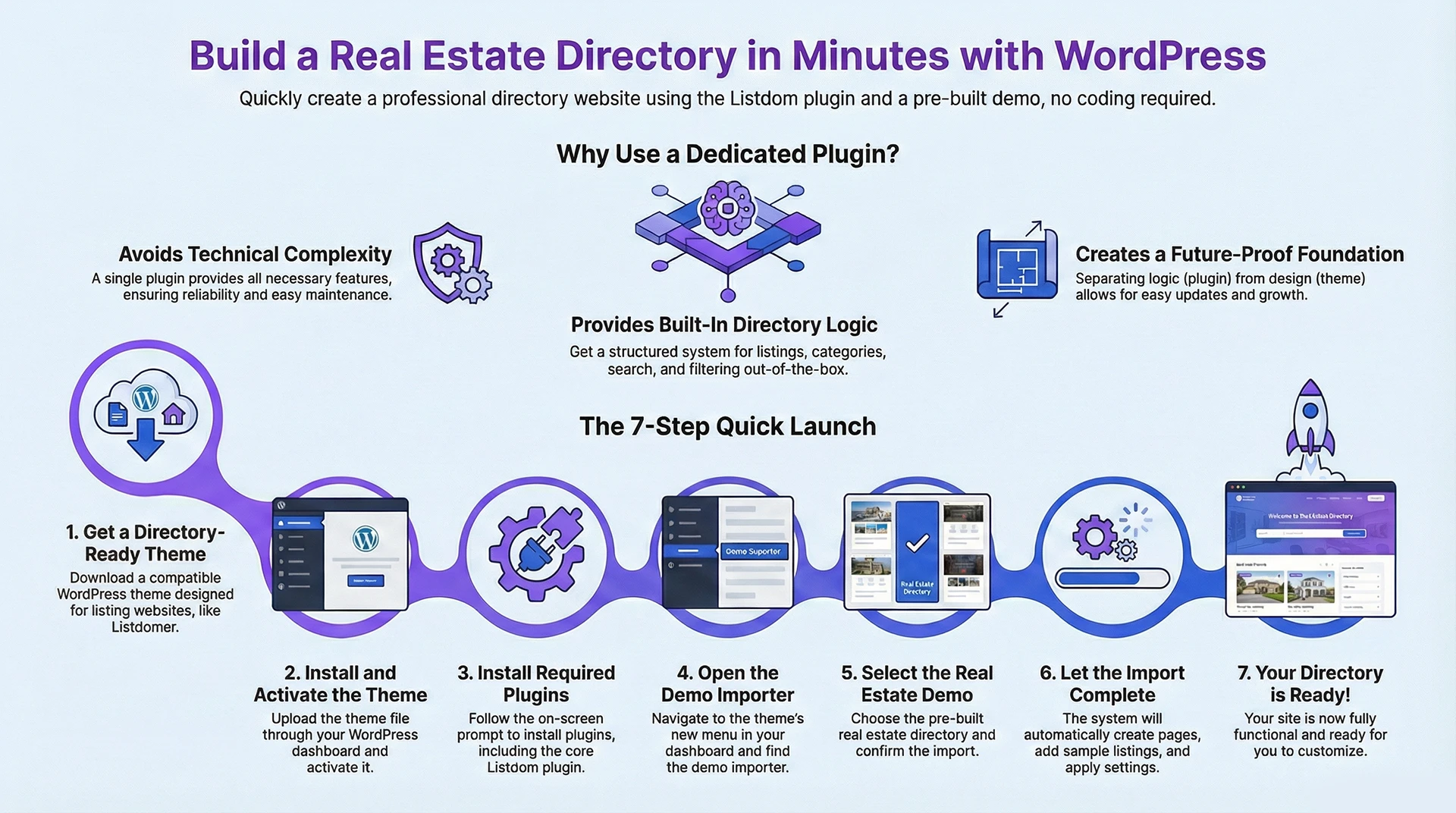
Trying to build a real estate directory without a dedicated plugin often leads to unnecessary complexity. You may need multiple plugins for custom post types, filtering, forms, and layouts, which increases maintenance and reduces reliability.
A dedicated property directory WordPress plugin provides:
- A structured listing system
- Built-in directory logic
- Category and taxonomy management
- Search and filtering optimized for listings
- A foundation that scales as your directory grows
Listdom is designed specifically for directory websites, making it suitable for real estate projects where structure and long-term flexibility matter.
Understanding the Role of Listdom and the Theme
When building a real estate directory with WordPress, it’s important to understand the separation of responsibilities:
- Listdom handles the directory logic, listings, categories, and workflows.
- The WordPress theme handles the presentation.
This separation makes your setup future-proof. As Listdom evolves and themes improve, your content and SEO remain stable. Listdom works with any WordPress theme and includes its own layout and style options for directory pages. A compatible theme is only required if you want to import prebuilt demos.
In this tutorial, you will use a real estate-ready theme that includes a prebuilt real estate demo designed to work with Listdom. The exact theme may change in the future, but the process and structure remain the same.
Why Starting with a Demo Is the Smartest Approach
Using a demo is one of the fastest and safest ways to launch a real estate directory.
A demo import gives you:
- A proven page structure
- Preconfigured directory settings
- Sample listings that show how data is organized
- A clear visual reference for layout and navigation
Instead of guessing how everything should work together, you start from a complete system and customize it gradually. This approach significantly reduces setup errors and shortens the learning curve. The demo layouts are prebuilt and ready to use. Depending on the setup, they may be editable using common WordPress page builders, e.g., Elementor or Listdom’s own template builder system.
What You Need Before You Start
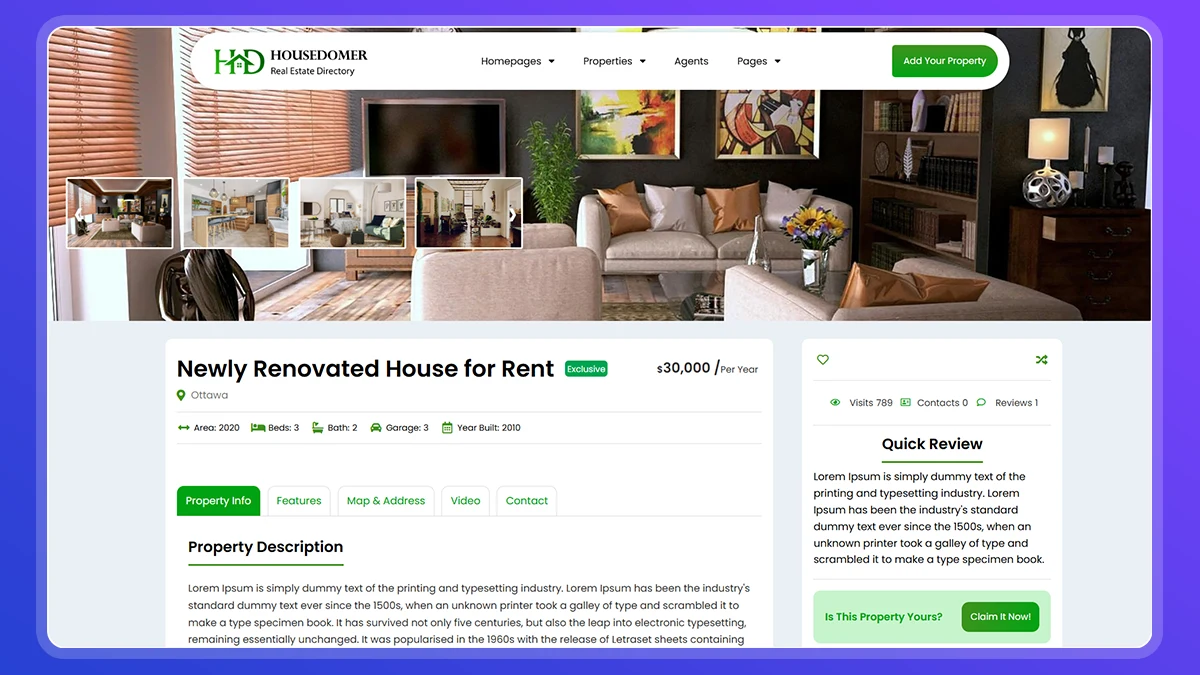
Before creating your real estate directory website, make sure you have:
- A working WordPress installation
- Access to the WordPress admin dashboard
- A real estate-ready WordPress theme
- The Listdom plugin
You do not need:
- Coding skills
- Custom development
- Third-party integrations at this stage
Step-by-Step: Create a Real Estate Directory with Listdom
The steps below follow a clear and repeatable process. Each step is intentionally separated so you can easily add screenshots and later convert this guide into a video.
Step 1: Download a Real Estate-Ready WordPress Theme
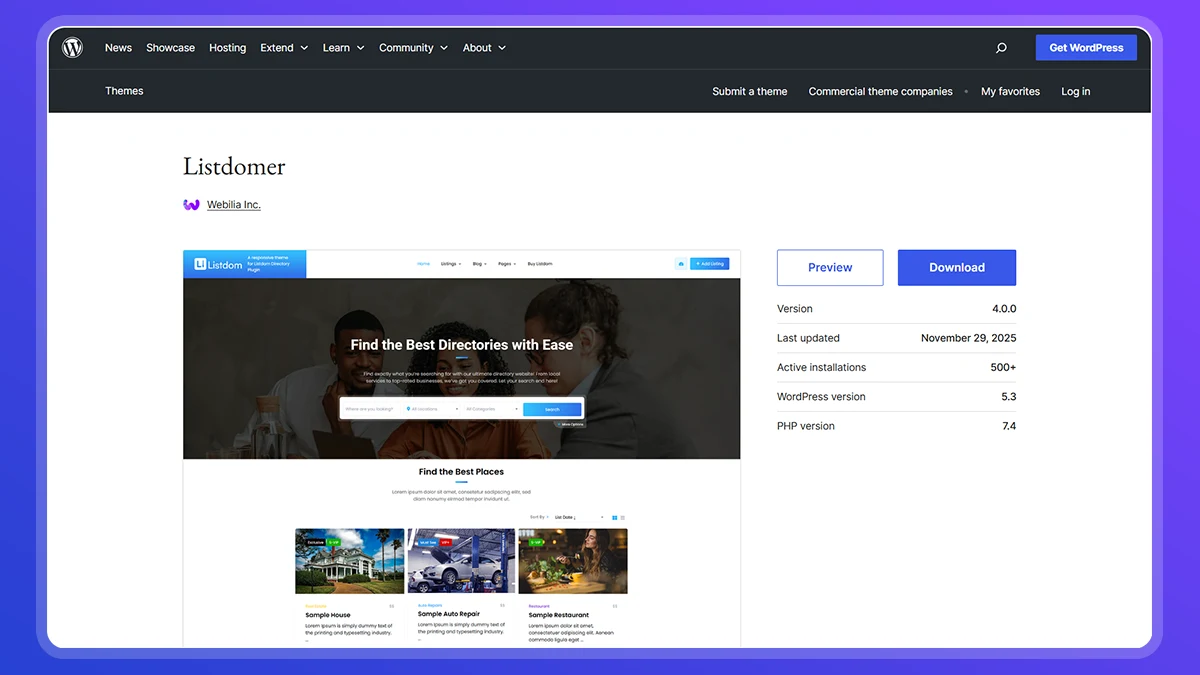
Start by downloading a WordPress theme designed for directory websites. At the time, the best option in the WordPress repository is the Listdomer theme. While the Listdom plugin works with any standard WordPress theme, the Listdomer works great with it.
A real estate-ready theme provides:
- Layouts optimized for listings
- Pages designed for directories
- Compatibility with Listdom
At this stage, you only need the theme files. No configuration is required yet.
Step 2: Install and Activate the Theme
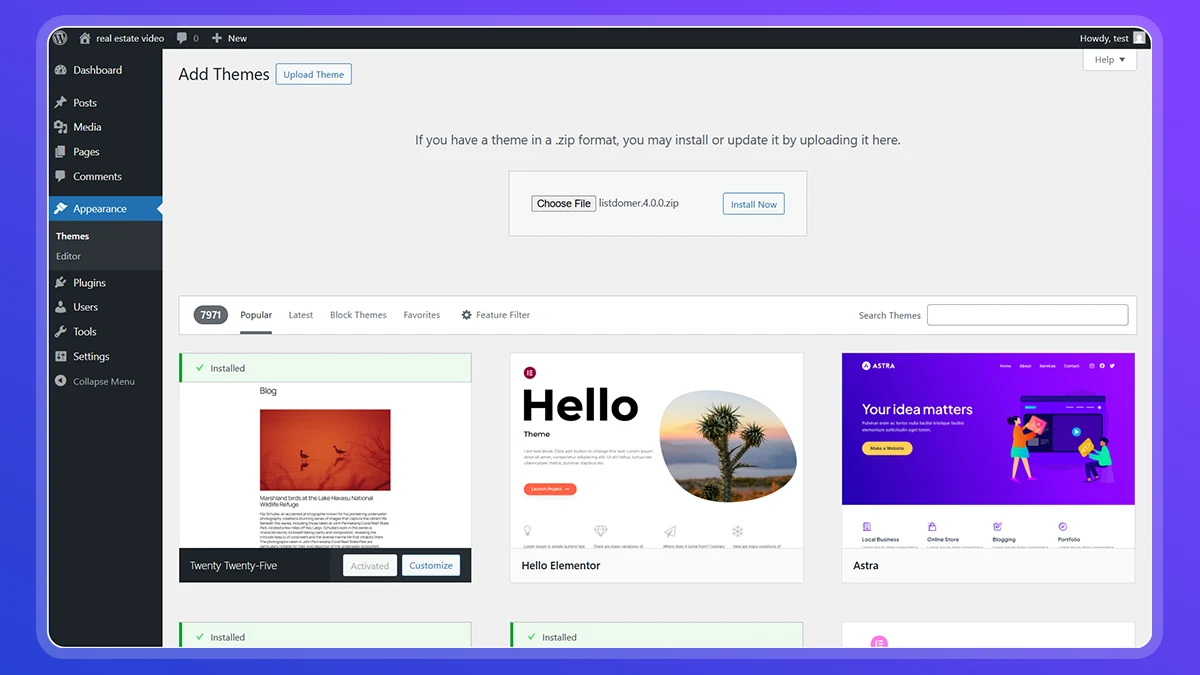
To install the theme:
- Go to your WordPress dashboard
- Navigate to Appearance > Themes
- Click Add New
- Upload the theme file
- Install and activate the theme
Once activated, the theme will add its own menu to the WordPress dashboard, which includes demo and setup options.
Step 3: Install Required Plugins Including Listdom

After activating the theme, you will be prompted to install required plugins.
These typically include:
- Listdom, which provides the directory functionality
- Supporting plugins needed for layouts and demo content
Install and activate all required plugins to ensure the real estate demo works correctly.
Step 4: Open the Demo Importer
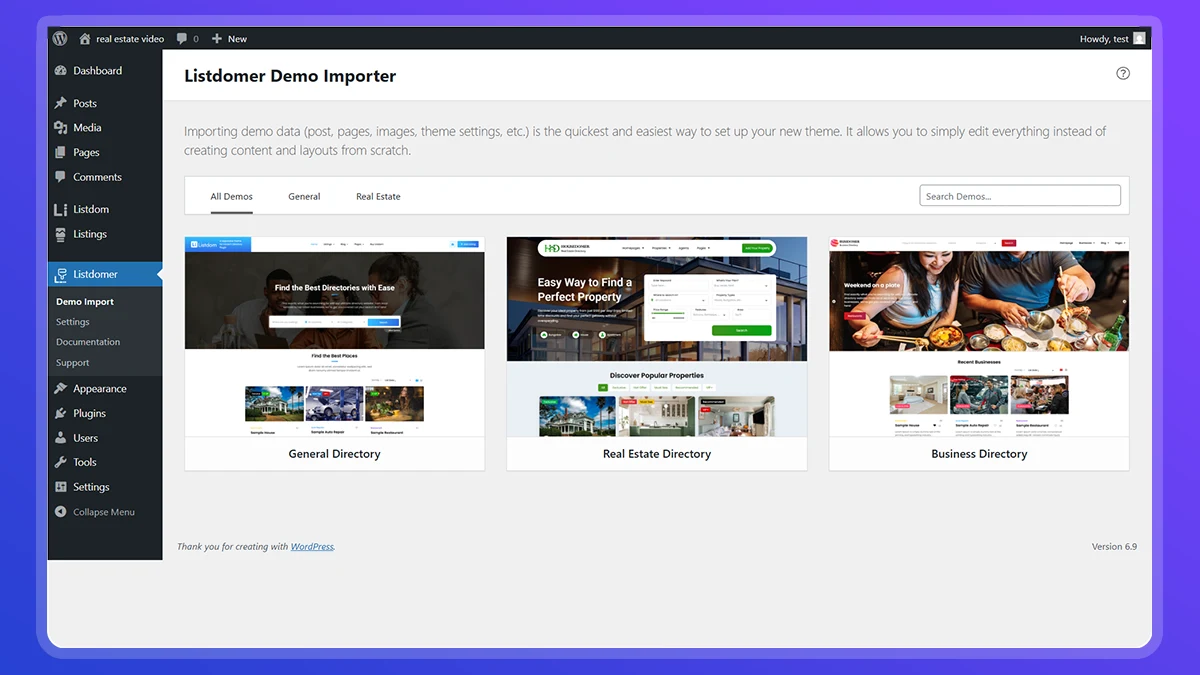
Once the theme and plugins are active:
- Go to the theme’s menu in your WordPress dashboard
- Open the Demo Importer
The demo importer allows you to import complete website setups, including pages, listings, layouts, and directory settings.
Step 5: Select the Real Estate Directory Demo
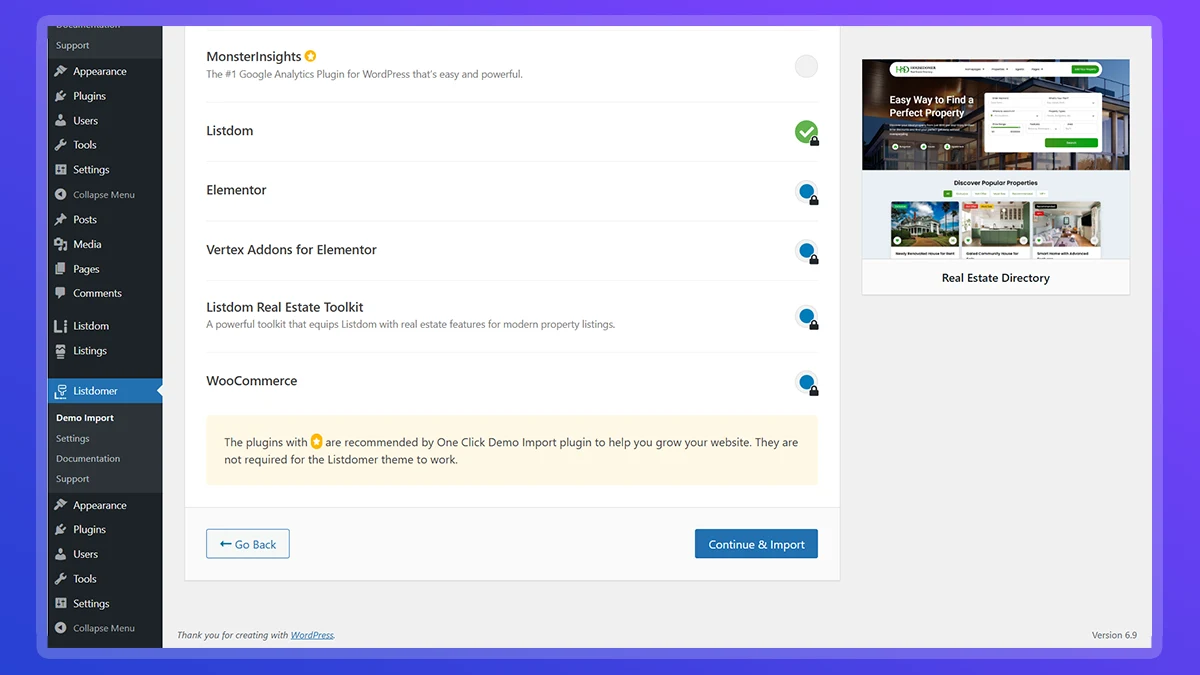
Inside the demo importer:
- Find the Real Estate Directory demo
- Select it
- Confirm the import
This demo usually includes:
- Property listing layouts
- Categories and taxonomies
- Sample listings
- Prebuilt pages such as home, listings, and details pages
Step 6: Wait for the Import to Complete
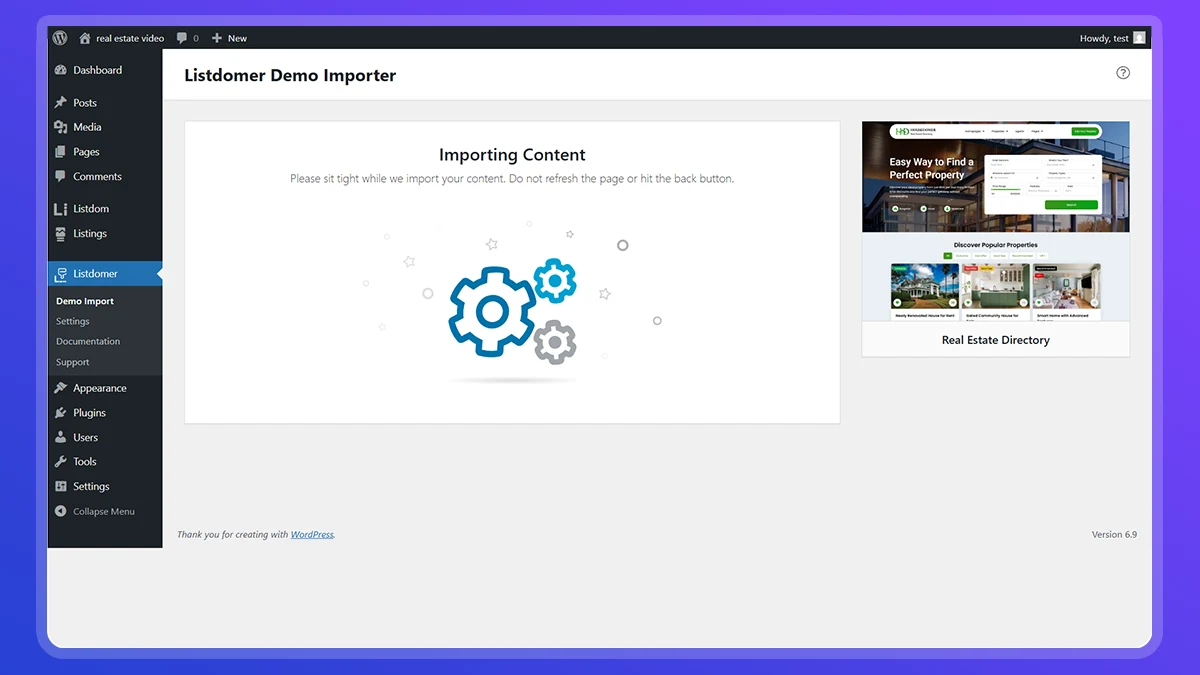
The demo import process may take a few minutes.
During this time:
- Pages are created automatically
- Listings and categories are added
- Directory settings are applied
- Layouts are configured
Do not refresh or close the page until the import is finished.
Step 7: Your Real Estate Directory Is Ready
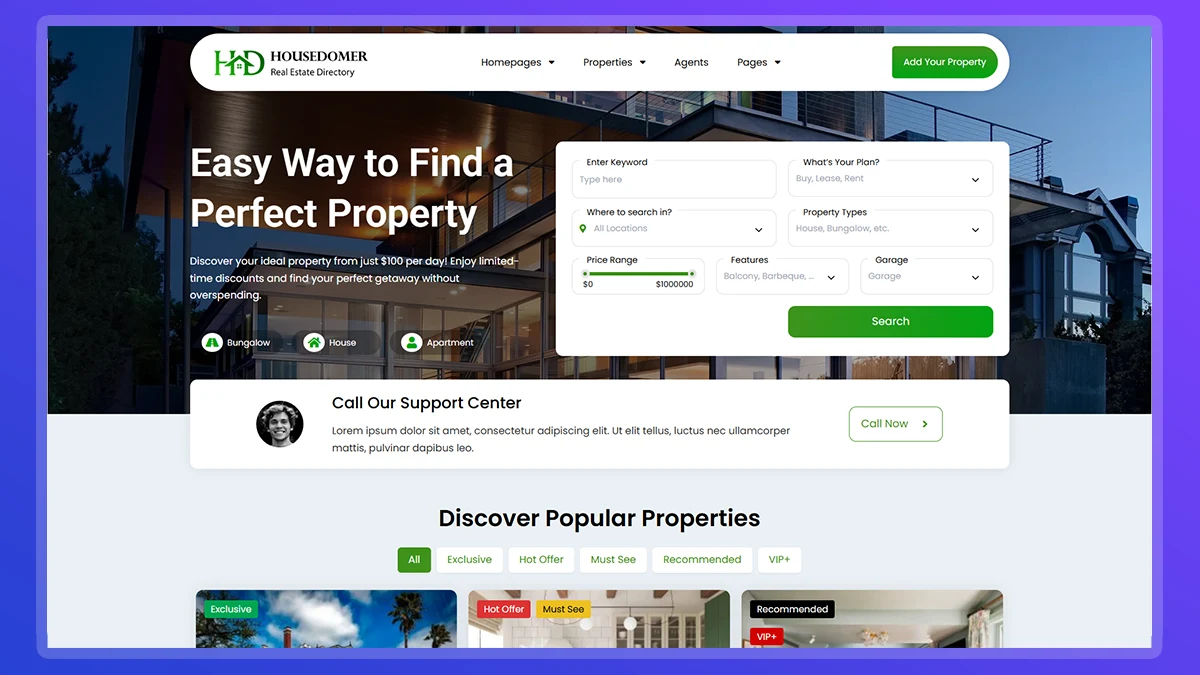
Once the import is complete, your real estate directory website is fully functional.
You now have:
- A structured property directory
- Listing pages and single listing layouts
- Navigation and filters already configured
- A design optimized for real estate listings
At this point, you can start customizing the site immediately.
Step 8: Explore Advanced Directory Features
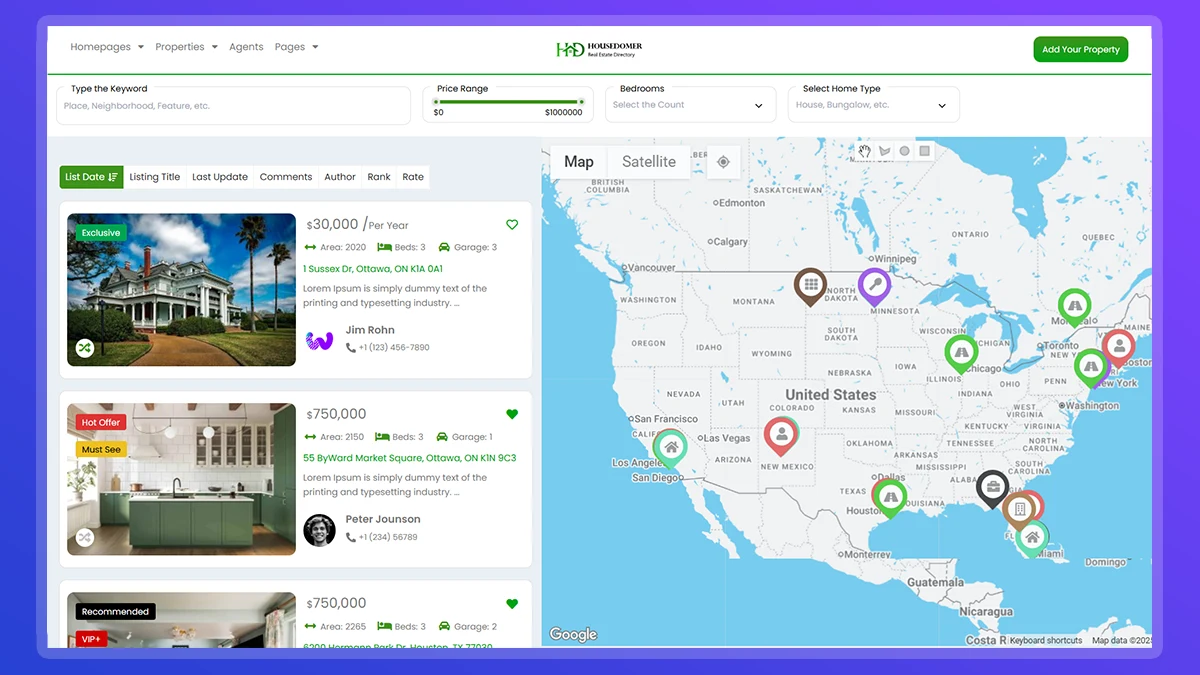
After setup, you can explore advanced directory features available in Listdom.
This allows you to:
- Test extended listing functionality
- Configure advanced directory workflows
- Decide which features you want to use long term
Because Listdom is modular, you can expand your directory as your project grows.
Customizing Your Real Estate Directory
Once your site is live, you can customize it in many ways:
- Replace demo listings with real properties
- Edit property categories and fields
- Customize layouts using Elementor
- Adjust branding, colors, and typography
- Configure listing submission rules if needed
What to Do After Your Real Estate Directory Is Live
Once the demo import is complete, your real estate directory website is fully functional. However, the imported demo is only a starting point. All ongoing work and customization happen inside Listdom.
You are not locked into the demo content or its initial appearance. Here is how control is typically organized:
- Listings and categories are managed from the Listings menu, where you can add real properties, edit listing information, and organize your directory structure.
- Directory settings control how listings behave, what information is displayed, and how users interact with the directory in the Listdom Settings menu.
- Layouts and templates determine how archive pages, listing cards, and single listing pages look, and can be customized independently of the demo.
- Design and styling options allow you to refine spacing, typography, and visual elements without changing core functionality.
A compatible theme is only required for importing demos. Listdom itself works with any WordPress theme and includes its own layout and styling controls for directory pages. If you want to understand how Listdom works in more depth, the official documentation provides a complete overview of its structure, features, and workflows:
https://docs.webilia.com/listdom/
The best way to continue is to make changes gradually. Start by replacing demo listings with real data, then explore directory settings and layout customization based on your needs.
Final Thoughts
Creating a real estate directory website does not have to be complex. With a dedicated real estate directory WordPress plugin and a compatible theme, you can launch a professional property directory quickly and refine it over time.
By starting with a demo-based setup, you reduce risk, save time, and create a solid foundation for future growth. Listdom provides the core directory system, while your theme handles the presentation, giving you flexibility today and stability in the future.
Common Questions About Real Estate Directory Websites
Can I use this setup for a local real estate directory
Yes. You can create city-based or regional directories and organize listings by location and category.
Is this suitable for real estate agents or agencies
Yes. You can structure the directory around properties, agents, or agencies depending on your goals.
Can I monetize a real estate directory later
Yes. As your directory grows, you can explore monetization options such as featured listings or paid submissions.
Do I need a specific real estate WordPress directory theme
Using a directory-focused theme simplifies setup and ensures compatibility, but the core functionality comes from Listdom.